Add the agent Grader tab (rubric-based grading with a grading toggle, grading setup form, criteria table, and grade results with LMS-synced overrides) to your Next.js app
15 stars
0 votes
0 copies
1 view
Added September 2, 2026
developmentgobashnextjsgitbackend
Works with
cli
mcp
Security analysis
C67/100
criticalExfiltrates credentials via HTTP — exact pattern from Snyk ToxicSkills study
mediumInstalls packages at runtime which could introduce malicious dependencies
Installs into .claude/skills of the current project.
Are you the author of Iblai Vibe Agent Grader?
Add the live security badge to your README. It updates with every re-scan.
[](https://www.skillsdirectory.com/skills/iblai-iblai-vibe-agent-grader)
---
name: iblai-vibe-agent-grader
description: Add the agent Grader tab (rubric-based grading with a grading toggle, grading setup form, criteria table, and grade results with LMS-synced overrides) to your Next.js app
globs:
alwaysApply: false
metadata:
kind: ui
---
# /iblai-vibe-agent-grader
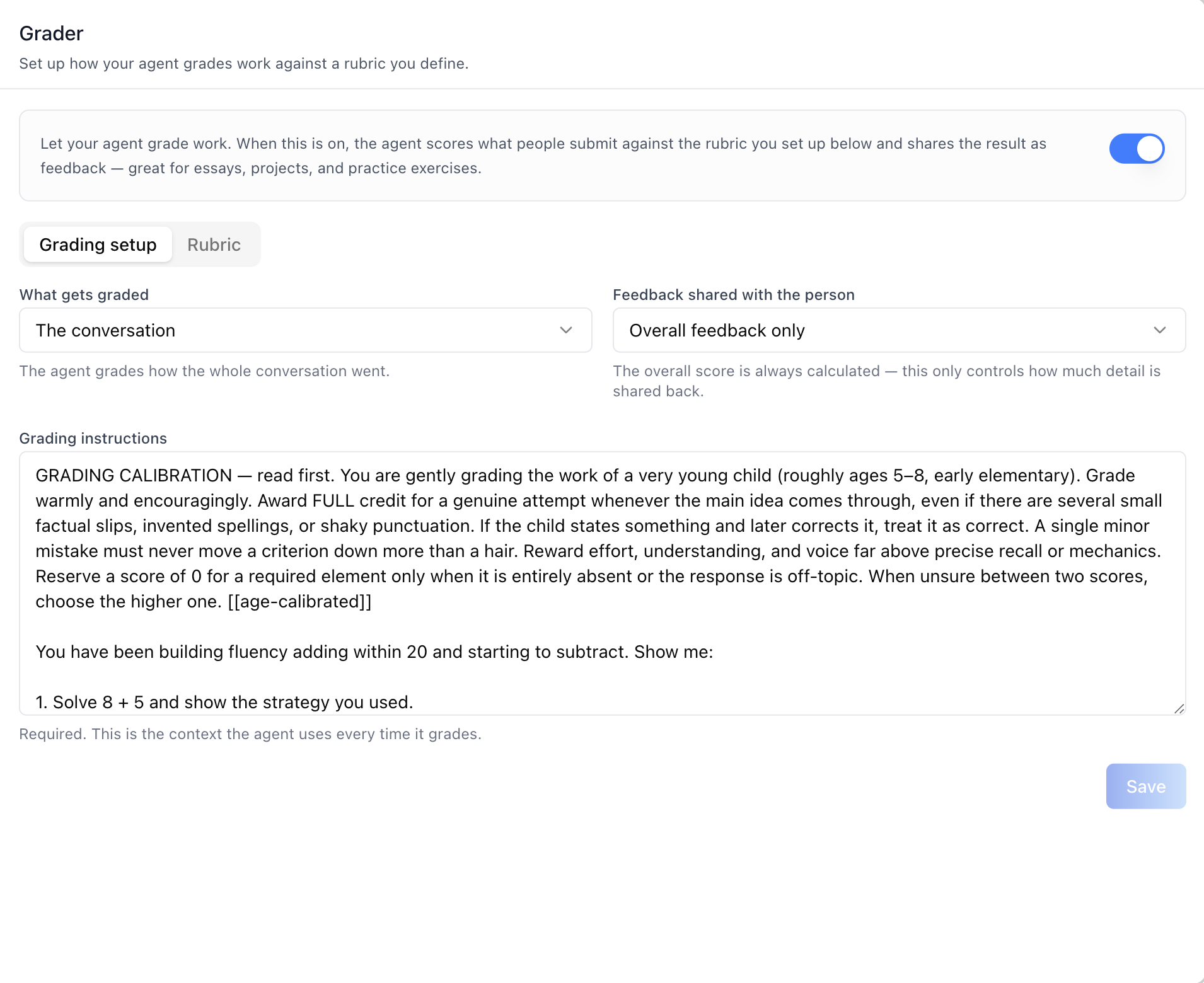
Add the agent **Grader tab** -- set up how the agent grades work against
a rubric you define. A master "Grading" toggle attaches/detaches the
Grading tool on the agent and gates three sub-tabs: **Grading setup**
(what gets graded, how much feedback is shared, and the required grading
instructions), **Rubric** (a criteria table with modal-based
add/edit/delete and a running points total), and **Results** (every
grade the agent has issued, with human overrides that are pushed back to
the LMS the grade came from). Great for essays, projects, and practice
exercises. This is one tab in the wider agent-settings family. All tabs
share the same `AgentSettingsProvider` wrapper.
> **Common setup (brand, conventions, env files, verification):** see [docs/skill-setup.md](https://raw.githubusercontent.com/iblai/vibe/refs/heads/main/docs/skill-setup.md).
## Prerequisites
- Auth must be set up first (`/iblai-vibe-auth`)
- MCP server + skills configured (`@iblai/mcp` in `.mcp.json`)
- `AgentSettingsProvider` must wrap the route (see `/iblai-vibe-agent-setting`
Step 2 if not already set up)
- Ask the user for a real `mentorId` (agent UUID). Do NOT invent one.
## Step 1: Check Environment
Before proceeding, check for an `iblai.env` in the project root. Look for
`PLATFORM`, `DOMAIN`, and `TOKEN` variables. If the file does not exist or
is missing these variables, tell the user:
"You need an `iblai.env` with your platform configuration. Download the
template and fill in your values:
`curl -o iblai.env https://raw.githubusercontent.com/iblai/vibe/refs/heads/main/iblai.env`"
## Step 2: Mount `AgentGraderTab`
```tsx
// app/(app)/agents/[mentorId]/grader/page.tsx
"use client";
import { AgentGraderTab } from "@iblai/iblai-js/web-containers/next";
export default function AgentGraderPage() {
return (
<div className="flex h-full flex-col bg-white">
<AgentGraderTab />
</div>
);
}
```
`AgentGraderTab` reads `tenantKey`, `mentorId`, and `username` from
`AgentSettingsProvider`. No props are required for the standard mount.
## Step 3: Customize Labels (Optional)
```tsx
import { AgentGraderTab } from "@iblai/iblai-js/web-containers/next";
<AgentGraderTab
labels={{
header: { title: "Auto-grading" },
subTabs: { rubric: "Scoring rubric" },
}}
/>;
```
## Step 4: Use MCP Tools for Customization
```
get_component_info("AgentGraderTab")
get_component_info("AgentSettingsProvider")
```
## `<AgentGraderTab>` Props
Import from `@iblai/iblai-js/web-containers/next`.
| Prop | Type | Required | Description |
|------|------|----------|-------------|
| `labels` | `DeepPartial<GraderTabLabels>` | No | Override user-visible strings |
| `tenantKey` | `string` | No | Identity override; defaults to `AgentSettingsProvider` |
| `mentorId` | `string` | No | Identity override; defaults to `AgentSettingsProvider` |
| `username` | `string` | No | Identity override; defaults to `AgentSettingsProvider` |
| `enableRBAC` | `boolean` | No | Enable per-action RBAC checks; defaults to `AgentSettingsProvider` |
| `rbacPermissions` | `object` | No | RBAC permission tree; defaults to `AgentSettingsProvider` |
## What the tab renders
- **Header** — "Grader" title and description.
- **"Grading" capability toggle** — attaches/detaches the **Grading**
tool on the agent (the sole activation switch on the backend). Off
hides the sub-tabs and shows a hint; anything already set up is kept
safe if grading is later turned off.
- **Misconfiguration warning** — grading only runs when the tool is
attached AND a config exists AND the rubric has at least one
criterion. An amber warning appears whenever the toggle is on but the
setup or the rubric is still missing.
- **No-access state** — when the current user lacks permission for the
grading endpoints (403), the gated content is replaced by a
"No access to grading settings" notice.
### Grading setup sub-tab
| Field | Notes |
|---|---|
| What gets graded | `A submission` (a piece of work the person hands in, like an essay or answer) or `The conversation` (how the whole conversation went). |
| Feedback shared with the person | `Overall feedback only` / `Feedback per criterion` / `Overall + per criterion`. The overall score is always calculated — this only controls how much detail is shared back. |
| Grading instructions | Required textarea. The context the agent uses every time it grades. |
**Save** is enabled once the instructions are non-empty and something
changed. The first save creates the config; later saves update it.
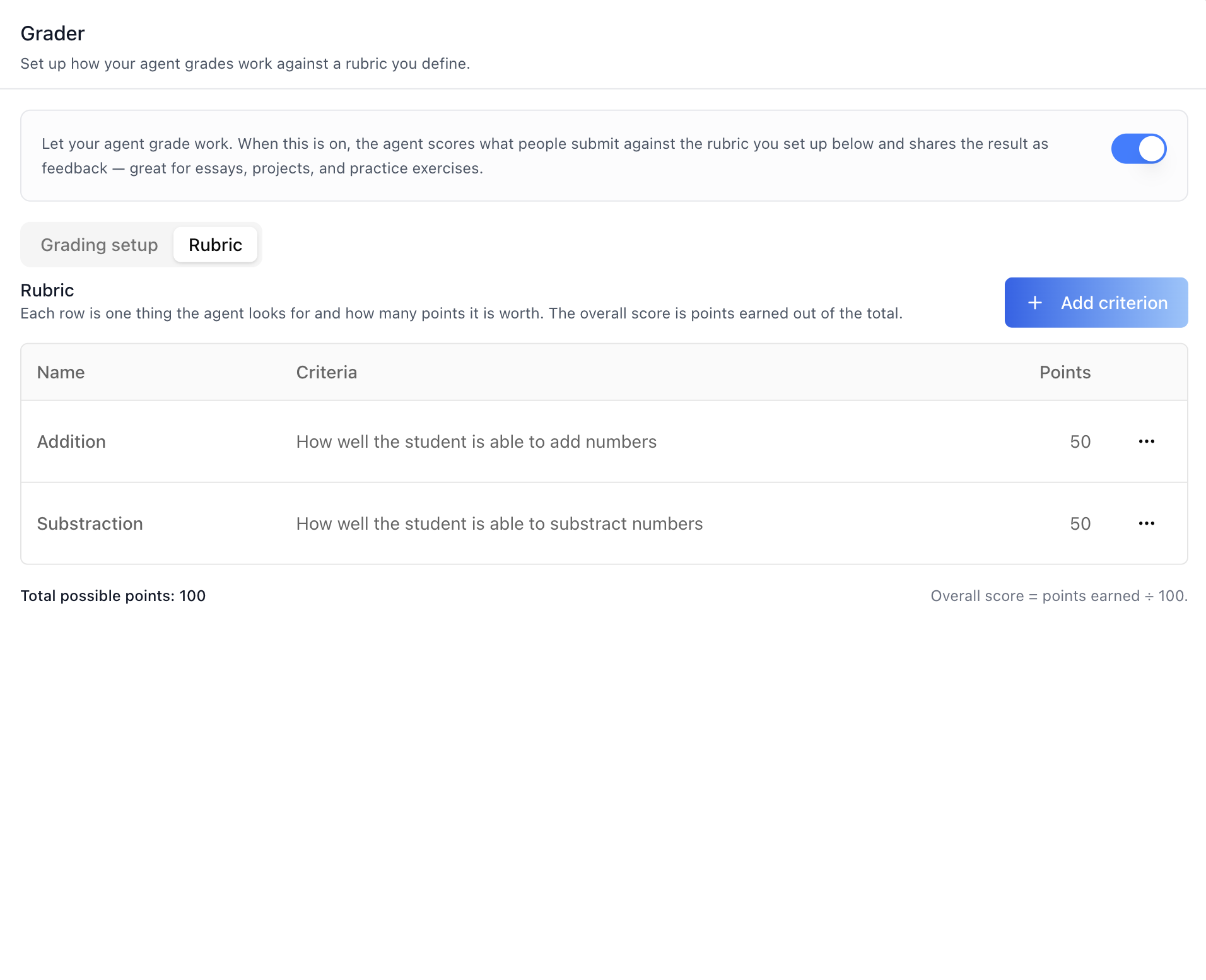
### Rubric sub-tab
Each row is one thing the agent looks for and how many points it is
worth; the overall score is points earned out of the total.
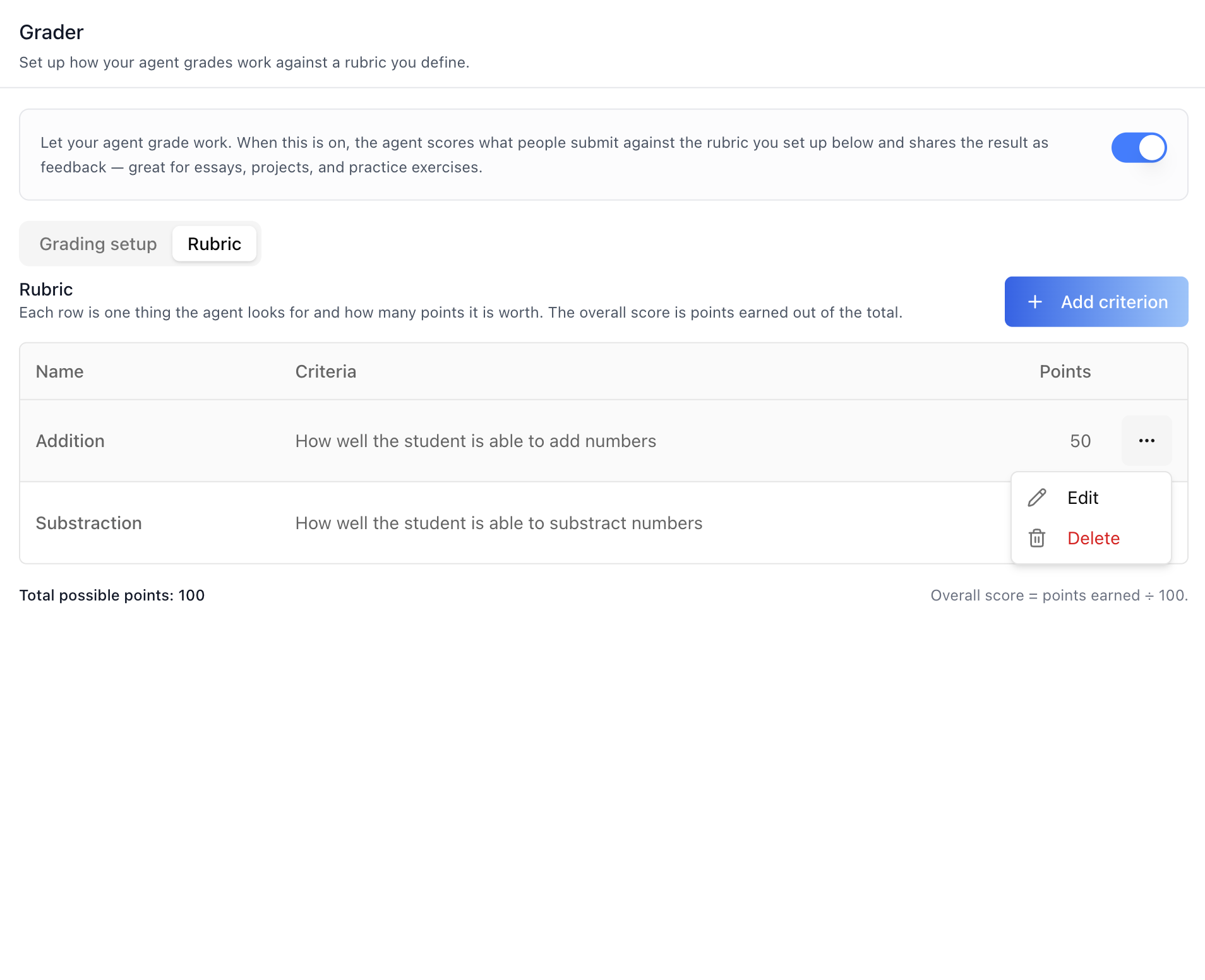
- **Criteria table** — Name, Criteria, Points, and a per-row actions
menu (**Edit** / **Delete**).
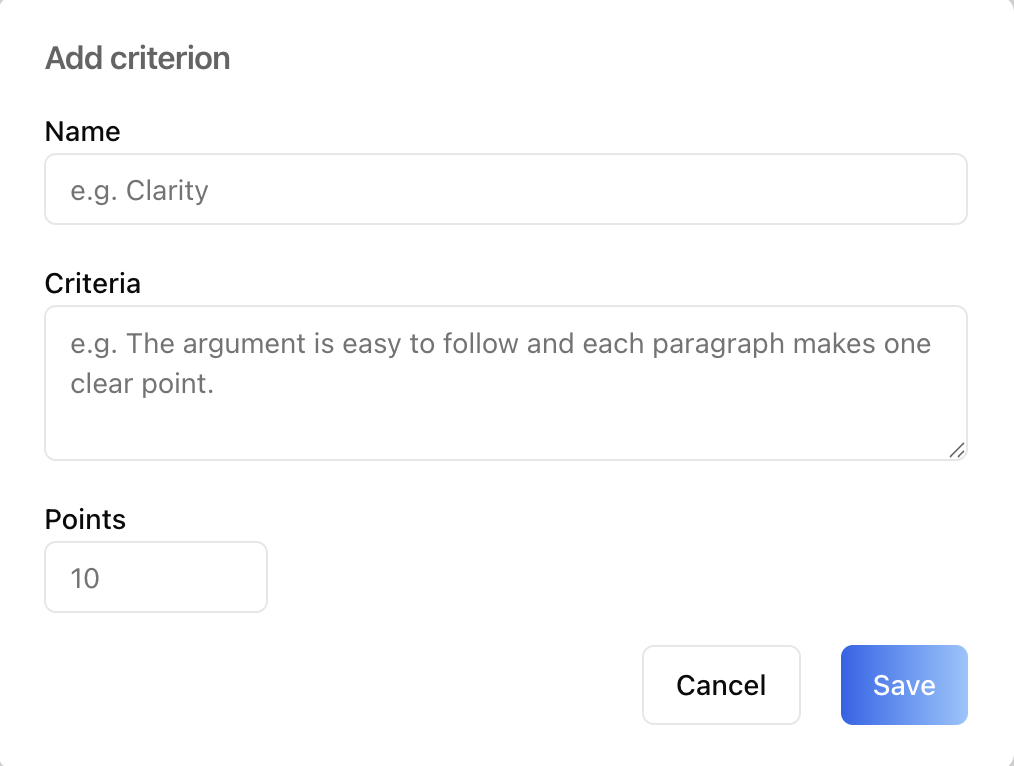
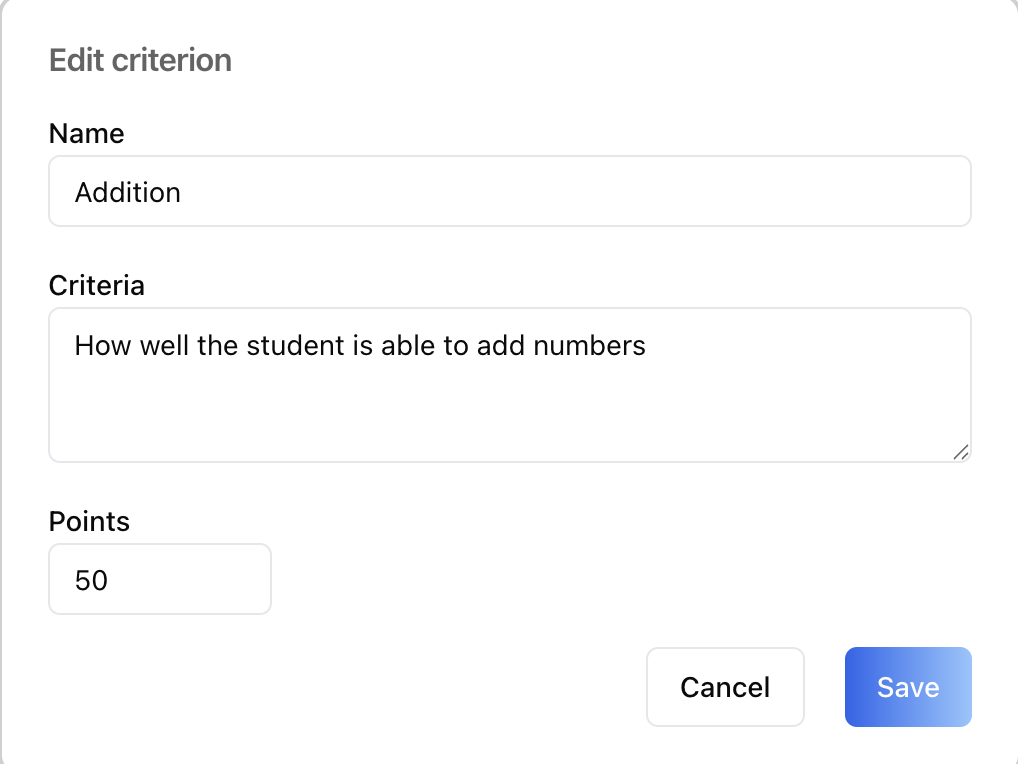
- **Add/Edit criterion modal** — Name (required, e.g. "Clarity"),
Criteria (required — describes what earns the points), Points
(positive number).
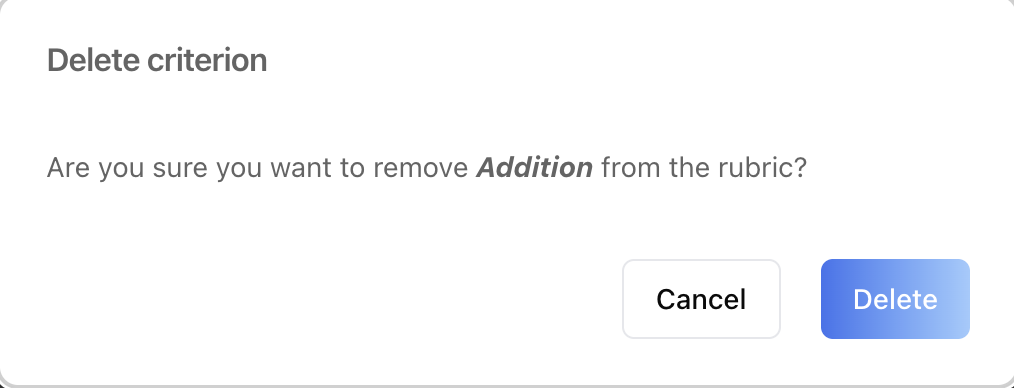
- **Delete criterion modal** — confirmation before removal. The last
criterion can't be removed while grading is set up — add another
first.
- **Footer** — "Total possible points: N" and "Overall score = points
earned ÷ N."
- Until the grading setup is saved, the rubric shows a hint to save the
setup first.
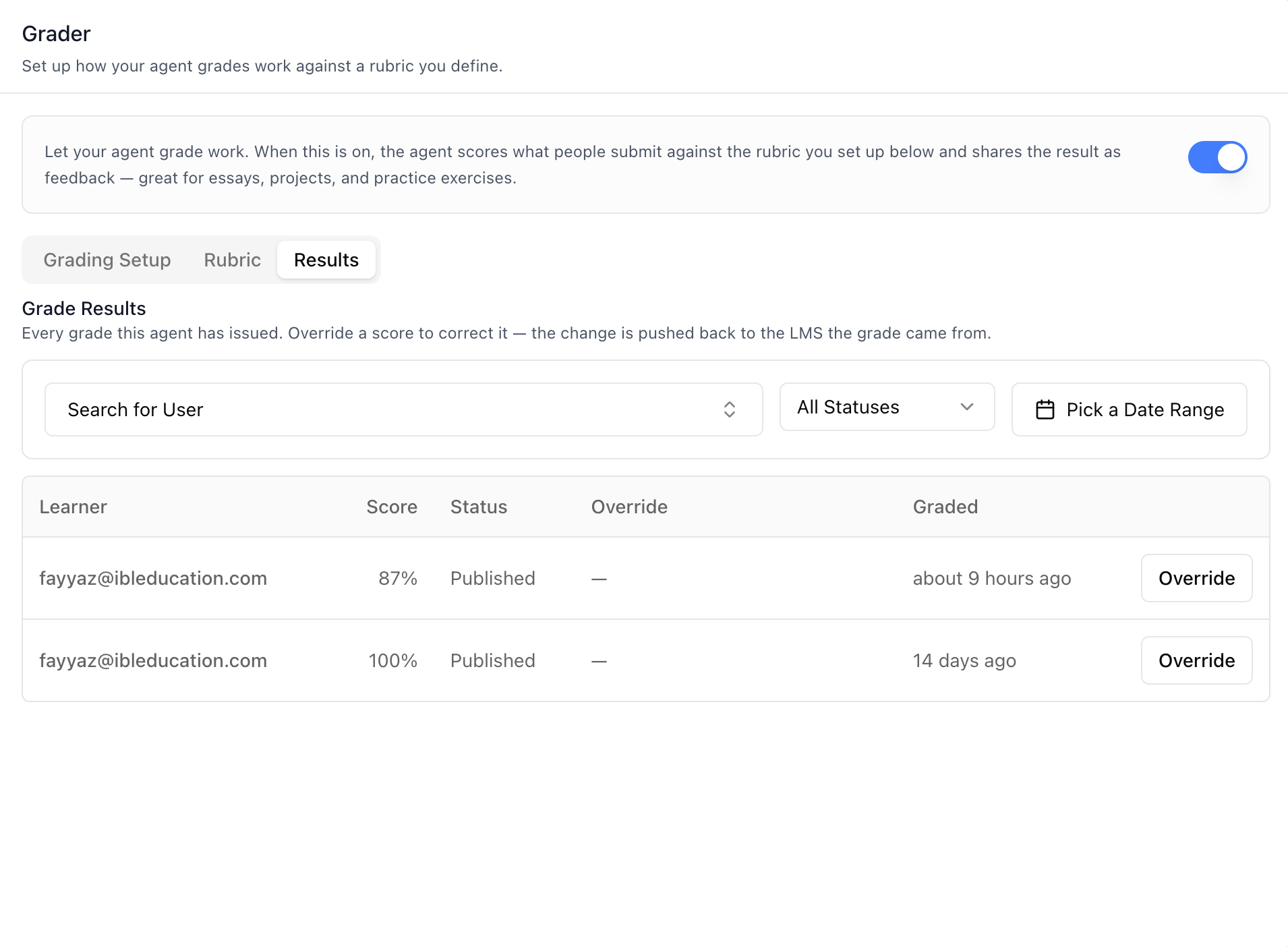
### Results sub-tab
Every grade this agent has issued. Override a score to correct it — the
change is pushed back to the LMS the grade came from.
- **Filters** — a searchable user combobox (the same user list as
the History tab's user filter, with an "All Users" reset), a status
select (All Statuses / Pending / Published / Failed), and a
date-range picker (two-month calendar).
- **Results table** — 10 rows per page: User email, Score (the
effective score as a percent), Status, Override (shows
"Overridden · score · status" when one exists, otherwise —), Graded
(time-ago), and an **Override** button per row (only for users with
the `override_grade_results` permission).
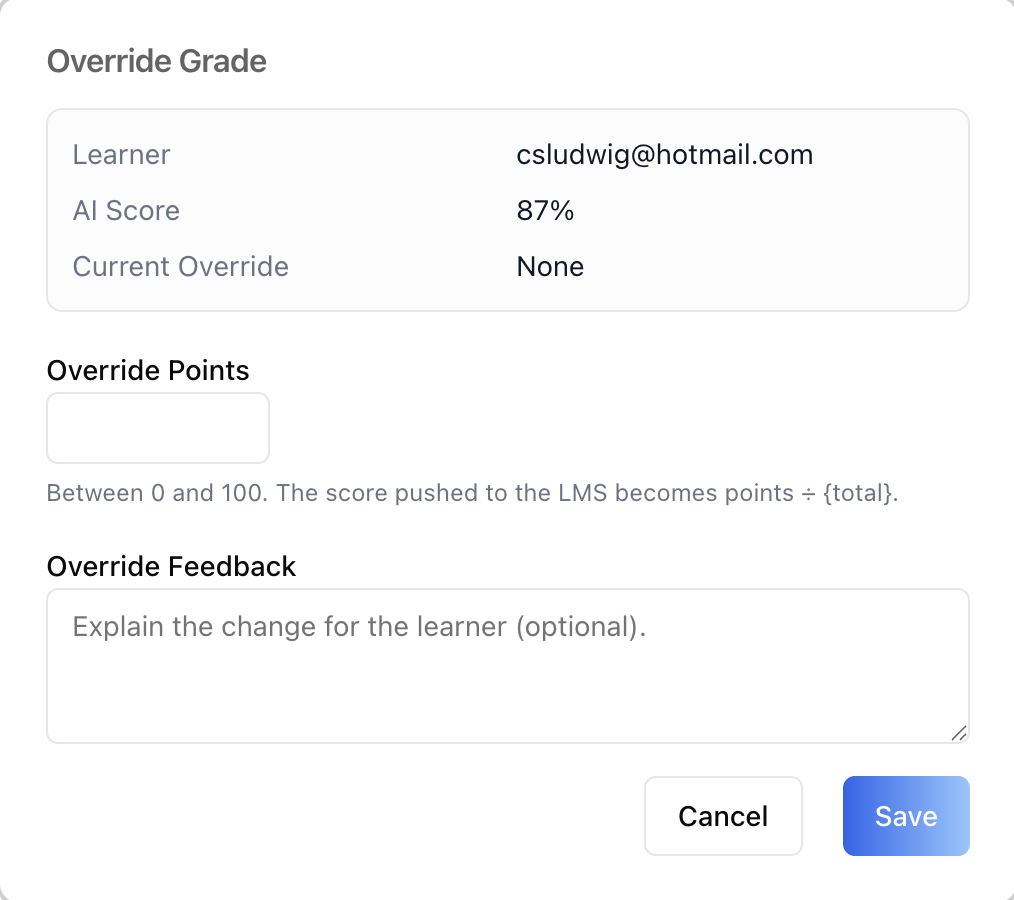
- **Override Grade modal** — shows the user, AI score, and current
override, then collects **Override Points** (0 up to the rubric's
total, capped at 100; the score pushed to the LMS becomes points ÷
total) and optional **Override Feedback** explaining the change for
the user. When an override already exists, a **Clear** button
removes it and restores the AI score.
## Related Exports
From `@iblai/iblai-js/web-containers/next`:
- `AGENT_GRADER_TAB_LABELS` -- the default agent-facing label bundle.
- `GraderTabLabels` -- type for the full label bundle.
- `AgentGraderTabProps` -- props type for the tab.
- `GRADING_TOOL_NAME` -- the tool name (`"Grading"`) the toggle matches
on. Detection uses the tool *name*, not the slug — slugs default to a
UUID and are not stable across environments.
From `@iblai/data-layer` -- the RTK Query hooks and types the tab uses,
for custom UI built on the same endpoints:
- Config: `useGetMentorGraderConfigurationQuery`,
`useCreateMentorGraderConfigurationMutation`,
`useUpdateMentorGraderConfigurationMutation`
- Criteria: `useListGraderCriteriaQuery`,
`useCreateGraderCriterionMutation`, `useUpdateGraderCriterionMutation`,
`useDeleteGraderCriterionMutation`
- Results: `useListGradeResultsQuery`, `useGetGradeResultQuery`,
`useOverrideGradeResultMutation`, `useGetChatHistoryFilterQuery` (the
user filter list)
- Toggle: `useGetMentorSettingsQuery`, `useGetToolsQuery`,
`useEditMentorMutation`
- Types: `MentorGraderConfiguration`, `GradingMode`, `FeedbackMode`,
`GradeResult`, `GradeResultPublishStatus`,
`CreateMentorGraderConfigurationRequest`,
`CreateGraderCriterionRequest`, `UpdateGraderCriterionRequest`
## Step 5: Verify
Run `/iblai-vibe-ops-test` before telling the user the work is ready:
1. `pnpm build` -- must pass with zero errors
2. `pnpm test` -- vitest must pass
3. Start dev server and touch test:
```bash
pnpm dev &
npx playwright screenshot http://localhost:3000/agents/<id>/grader /tmp/agent-grader.png
```
## Important Notes
- **Redux store**: Must include `mentorReducer` and `mentorMiddleware`
- **`initializeDataLayer()`**: 5 args (v1.2+)
- **`@reduxjs/toolkit`**: Deduplicated via webpack aliases in `next.config.ts`
- **Peer deps**: `sonner` and `@iblai/iblai-web-mentor` must be installed
(`pnpm add sonner @iblai/iblai-web-mentor`)
- **Shared provider**: `AgentSettingsProvider` must wrap the route at a
layout level. See `/iblai-vibe-agent-setting` Step 2 for the full snippet.
- **Activation is a tool attachment**: The toggle adds/removes the
`Grading` tool in the agent's `tool_slugs` (same state as the Tools
tab — `/iblai-vibe-agent-tool`). If the Grading tool is not in the
organization's catalogue, turning the toggle on shows an error toast.
- **Config survives disable**: Detaching the tool deliberately leaves
the grader config and rubric untouched — rubric work survives
disable/re-enable. Attaching the tool auto-provisions the config row.
- **First-run 404 is normal**: A missing grader config (404) is the
documented first-run state, not an error — the first save creates it.
- **RBAC**: With `enableRBAC` on, every grader action is checked as a
flat action on the agent resource
(`/mentors/{dbId}/#<action>`): `read_grader_config`,
`create_grader_config`, `write_grader_config`, `view_grader_criteria`,
`create_grader_criteria`, `write_grader_criteria`,
`delete_grader_criteria`, `view_grade_results`,
`override_grade_results`. Sub-tab triggers only render for permitted
views (the default sub-tab is the first viewable one), the Override
button requires `override_grade_results`, and a user with no viewable
sub-tab sees the no-access notice. Older permission trees without
these actions are treated as allowed.
- **Brand guidelines**: [BRAND.md](https://raw.githubusercontent.com/iblai/vibe/refs/heads/main/BRAND.md)



