Skills Directory
Skill Manager
Know what your agents load before they load it
Skills pile up: installed from a README, copied from a registry, added by a teammate. The Skill Manager opens a local dashboard of every skill on your machine, checked against every skill Skills Directory has graded.
npx -y https://www.skillsdirectory.com/manager/skillsdirectory.tgzNeeds Node 18 or newer. It runs on your computer and opens in your browser; press Ctrl+C to quit.
Free
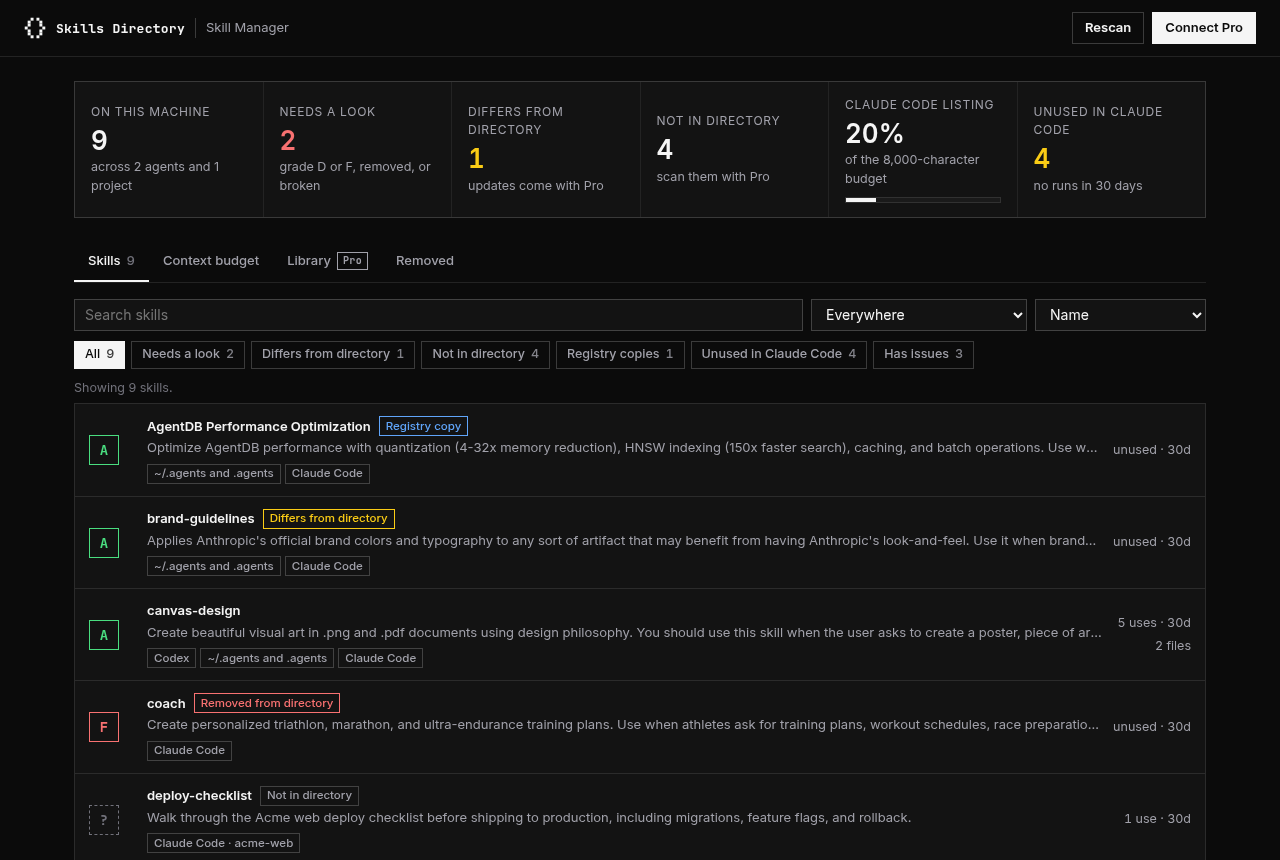
- Every skill on this machine in one list: Claude Code (personal, every project, plugins, claude.ai), Codex, Cursor, OpenCode, Copilot, and Windsurf
- Each one's security grade from the directory, and a warning when a skill was removed from it
- Which skills are registry copies, and whose original they copy
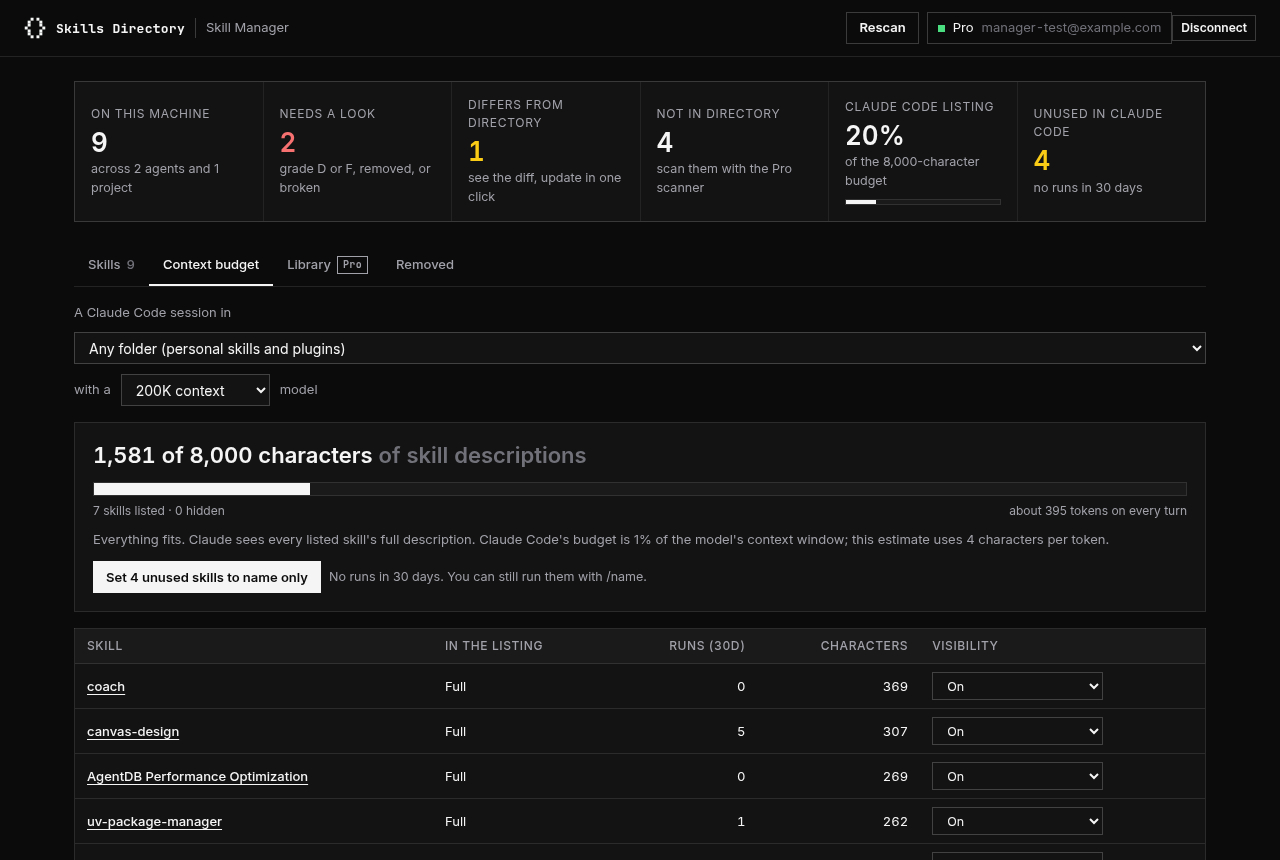
- How often Claude actually runs each skill, from your own Claude Code history
- What your skill descriptions cost Claude Code's listing budget, and which ones it cuts
- Turn a skill off or to name only in one click, using Claude Code's own setting
- Checks for broken frontmatter, names Claude can't use, and skills another one shadows
With Pro
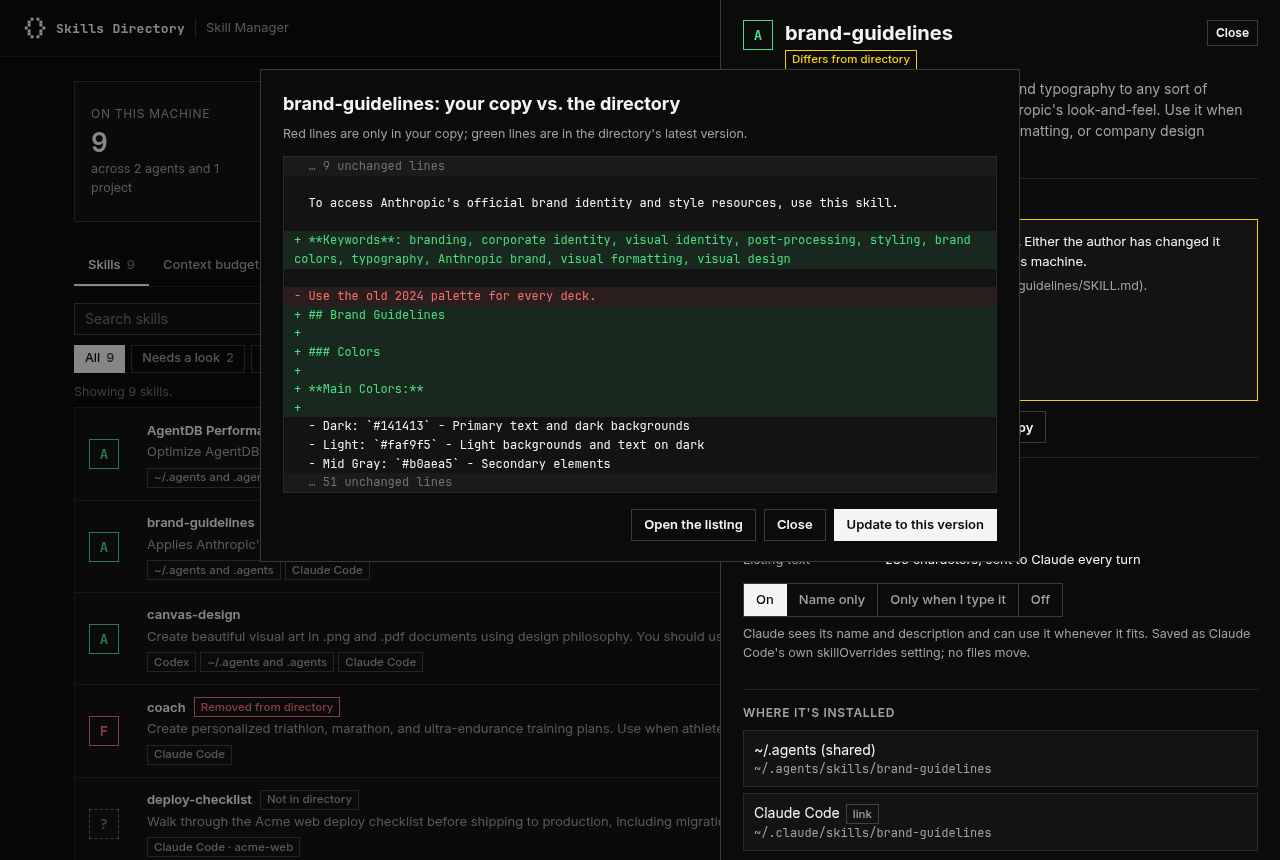
- See exactly what changed in a skill since you installed it, then update it in one click
- Swap a registry copy for the author's original
- Scan skills the directory hasn't graded, including your own, with every finding and its line
- Install anything from your Pro library into Claude Code or a project
Press Connect Pro in the app and approve on skillsdirectory.com. Each computer gets its own key; your other API key keeps working.
It changes files only when you ask
- Turning a skill off writes Claude Code's own
skillOverridessetting, the same one the/skillsmenu uses. No files move. - Updates back the old folder up to ~/.skillsdirectory/backups first.
- Removing a skill moves it to ~/.skillsdirectory/removed, and you can restore it from the app.
- Plugin and claude.ai skills stay read-only; Claude Code manages those.
What it sends us
A fingerprint (hash) of each SKILL.md, plus the repository and path npx skills recorded when you installed it, so we can match it to a listing. Your Claude Code history is read on your computer and never leaves it. Scanning a skill with Pro uploads that one folder to the scanner. The app listens on 127.0.0.1 only, and every request needs the one-time key in the link it opens. Details are in the privacy policy.