Enable or disable storing model definitions in the database directly from the Admin UI—no config file edits or proxy restart required. This is especially useful for cloud deployments where updating the config is difficult or requires a long release process.
Installs into .claude/skills of the current project.
Are you the author of 2502 Ui Store Model Db Setting E86381b4?
Add the live security badge to your README. It updates with every re-scan.
[](https://www.skillsdirectory.com/skills/tools-only-2502-ui-store-model-db-setting-e86381b4)
import Image from '@theme/IdealImage';
import Tabs from '@theme/Tabs';
import TabItem from '@theme/TabItem';
# Store Model in DB Settings
Enable or disable storing model definitions in the database directly from the Admin UI—no config file edits or proxy restart required. This is especially useful for cloud deployments where updating the config is difficult or requires a long release process.
## Overview
Previously, the `store_model_in_db` setting had to be configured in `proxy_config.yaml` under `general_settings`. Changing it required editing the config and restarting the proxy, which was problematic for cloud users who don't have direct access to the config file or who want to avoid the downtime caused by restarts.
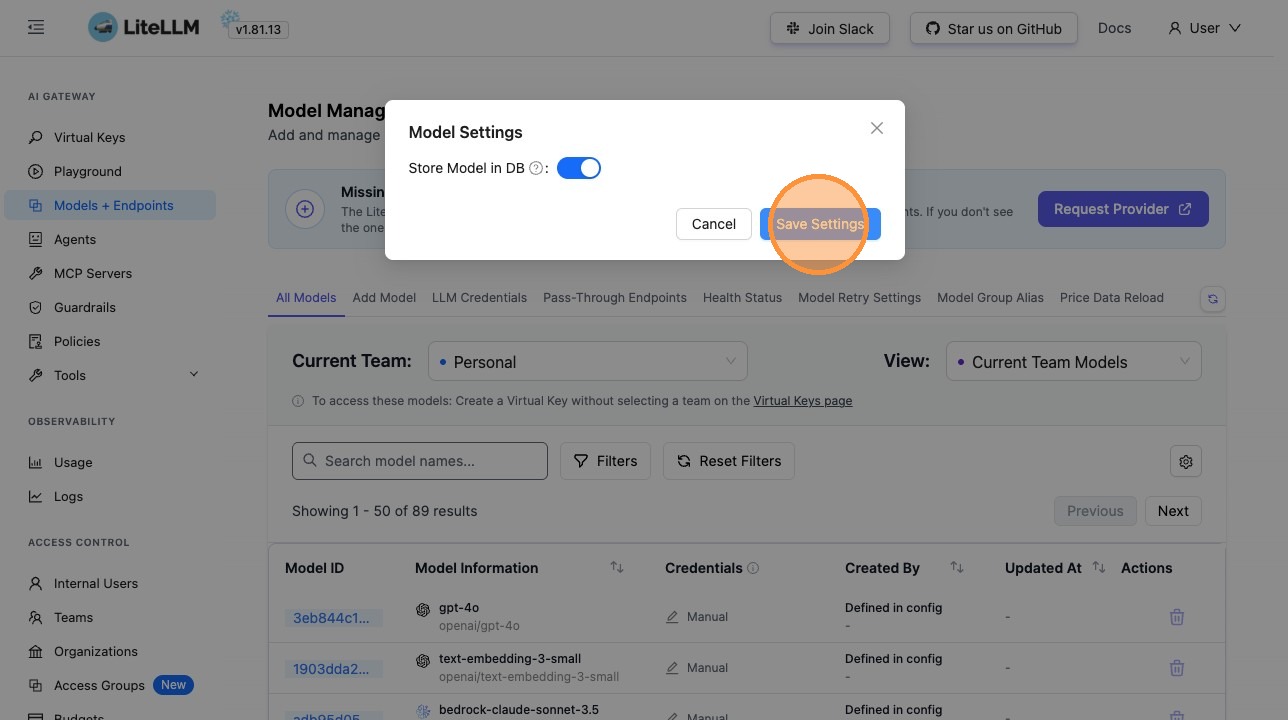
<Image img={require('../../img/ui_store_model_in_db.png')} />
**Store Model in DB Settings** lets you:
- **Enable or disable storing models in the database** – Control whether model definitions are cached in your database (useful for reducing config file size and improving scalability)
- **Apply changes immediately** – No proxy restart needed; settings take effect for new model operations as soon as you save
:::warning UI overrides config
Settings changed in the UI **override** the values in your config file. For example, if `store_model_in_db` is set to `false` in `general_settings`, enabling it in the UI will still persist model definitions to the database. Use the UI when you want runtime control without redeploying.
:::
## How Store Model in DB Works
When `store_model_in_db` is enabled, the LiteLLM proxy stores model definitions in the database instead of relying solely on your `proxy_config.yaml`. This provides several benefits:
- **Reduced config size** – Move model definitions out of YAML for easier maintenance
- **Scalability** – Database storage scales better than large YAML files
- **Dynamic updates** – Models can be added or updated without editing config files
- **Persistence** – Model definitions persist across proxy instances and restarts
The setting applies to all new model operations from the moment you save it.
## How to Configure Store Model in DB in the UI
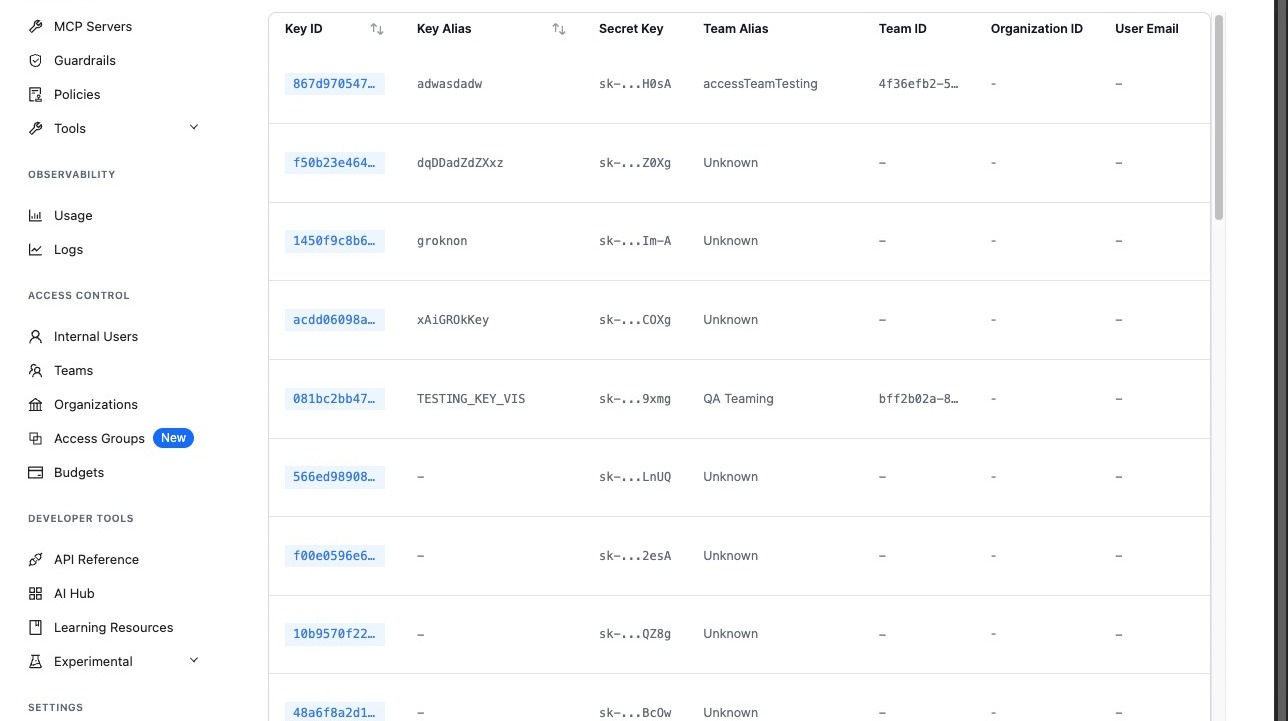
### 1. Access Models + Endpoints Settings
Navigate to the Admin UI (e.g. `http://localhost:4000/ui` or your `PROXY_BASE_URL/ui`) and go to the **Models + Endpoints** page.
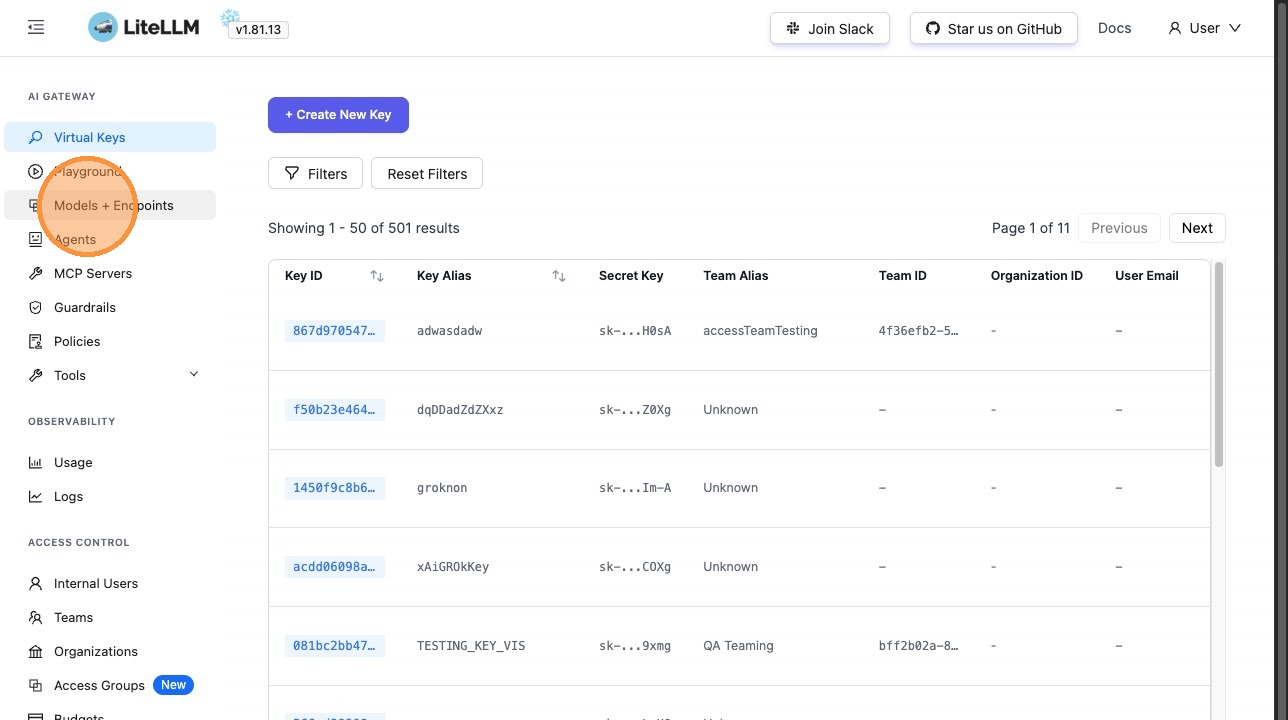
### 2. Open Settings
Click **Models + Endpoints** from the navigation menu.
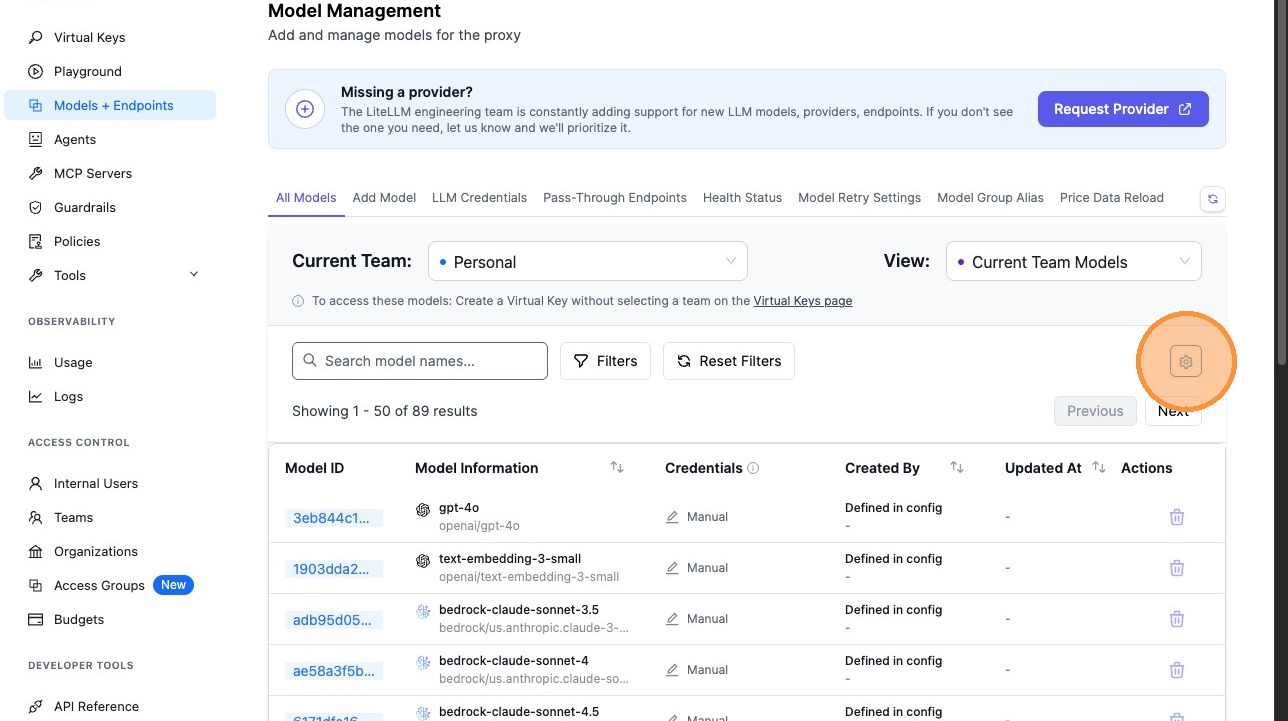
### 3. Click the Settings Icon
Look for the settings (gear) icon on the Models + Endpoints page to open the configuration panel.
### 4. Enable or Disable Store Model in DB
Toggle the **Store Model in DB** setting based on your preference:
- **Enabled**: Model definitions will be stored in the database
- **Disabled**: Models are read from the config file only
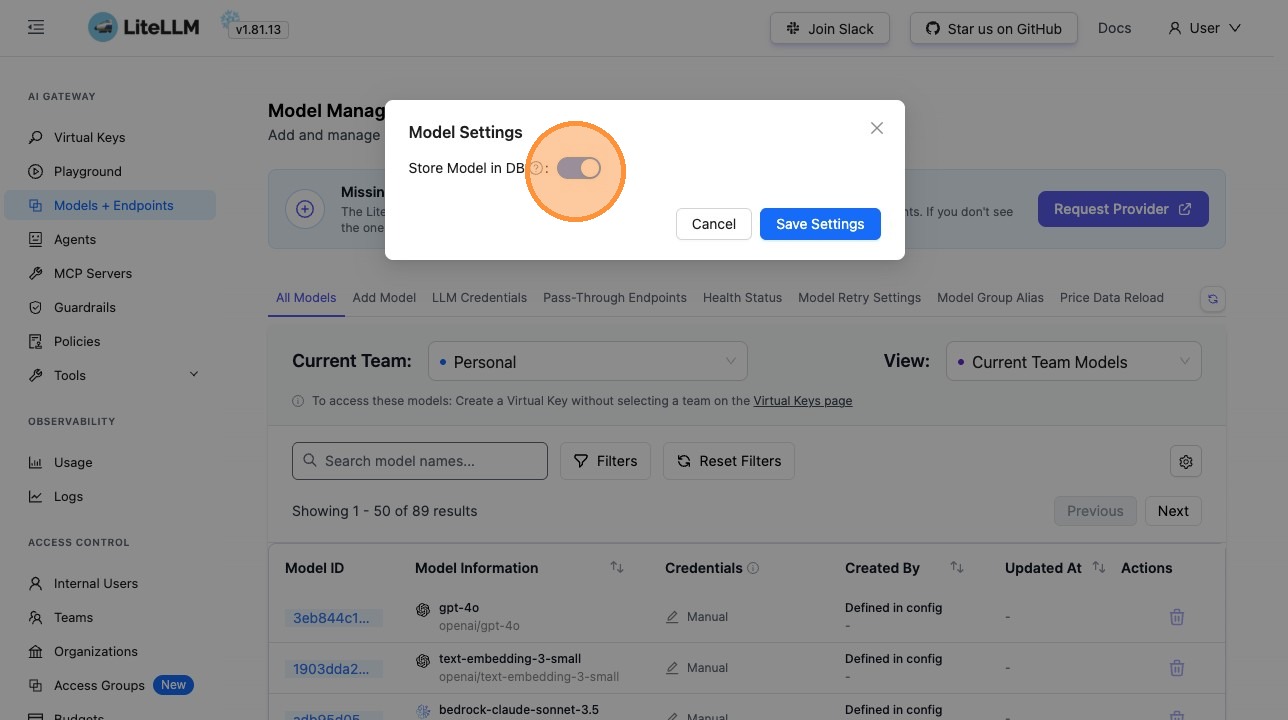
### 5. Save Settings
Click **Save Settings** to apply the change. No proxy restart is required; the new setting takes effect immediately for subsequent model operations.
## Use Cases
### Cloud and Managed Deployments
When the proxy runs in a managed or cloud environment, config may be in a separate repo, require a long release cycle, or be controlled by another team. Using the UI lets you change the `store_model_in_db` setting without going through a deployment process.
### Reducing Configuration Complexity
For large deployments with hundreds of models, storing model definitions in the database reduces the size and complexity of your `proxy_config.yaml`, making it easier to maintain and version control.
### Dynamic Model Management
Enable `store_model_in_db` to support dynamic model additions and updates without editing your config file. Teams can manage models through the UI or API without needing to redeploy the proxy.
### Zero-Downtime Updates
Change the setting from the UI and have it take effect immediately—perfect for production environments where downtime must be minimized.
## Related Documentation
- [Admin UI Overview](./ui_overview.md) – General guide to the LiteLLM Admin UI
- [Models and Endpoints](./models_and_endpoints.md) – Managing models and API endpoints
- [Config Settings](./config_settings.md) – `store_model_in_db` in `general_settings`

