Back to skills
SKILL.md
2176 Introduction Cn 30a70eeb
ASecurity> **一处管理,全平台同步** — 技能装一次,Cursor、Claude、Windsurf 等主流 AI IDE 即刻可用。 🌟 **GitHub**: [github.com/tiandee/awesome-skills-hub](https://github.com/tiandee/awesome-skills-hub) ---
- 9 stars
- 0 votes
- 0 copies
- 1 view
- Added October 11, 2026
Works with
Security analysis
96/100- Installs packages at runtime which could introduce malicious dependencies
npx -y skills add tools-only/X-Skills --skill 2176-introduction_cn_30a70eeb --agent claude-codeAre you the author of 2176 Introduction Cn 30a70eeb?
Add the live security badge to your README. It updates with every re-scan.
[](https://www.skillsdirectory.com/skills/tools-only-2176-introduction-cn-30a70eeb)# ASH — AI IDE 界的"Homebrew"
> **一处管理,全平台同步** — 技能装一次,Cursor、Claude、Windsurf 等主流 AI IDE 即刻可用。
🌟 **GitHub**: [github.com/tiandee/awesome-skills-hub](https://github.com/tiandee/awesome-skills-hub)
---
## 🎯 一句话介绍
**ASH (Awesome Skills Hub)** 是一个跨平台的 AI 技能包管理器。
让你像使用 `npm` 或 `Homebrew` 一样,**一键安装、统一管理、全端同步** 你的 AI 辅助能力。
---
## 🔥 痛点与解决方案
### 😫 你是否遇到过这些问题?
| 痛点 | 具体表现 |
|:---|:---|
| **割裂感强** | 在 Cursor 里调教好的 Prompt,换到 Windsurf 又得手动复制一遍 |
| **维护困难** | 精心打磨的 "Java 专家"、"Git 规范" 散落在各个项目文件夹 |
| **缺乏标准** | 每个 IDE 都有自己的技能目录,难以统一管理 |
| **团队协作难** | 好用的 Prompt 无法轻松共享给团队成员 |
### ✅ ASH 的解决之道
```
┌────────────────────────────────────────────────────────────┐
│ ~/.ash/skills/ │
│ (你的技能军火库,一处存储,全端链接) │
└─────────────┬──────────────┬───────────────┬───────────────┘
│ │ │
▼ ▼ ▼
┌─────────┐ ┌─────────┐ ┌─────────┐
│ Cursor │ │Windsurf │ │ Claude │ ...
└─────────┘ └─────────┘ └─────────┘
```
**一次安装,自动同步到所有 AI IDE。技能更新后,所有工具瞬间生效。**
---
## ✨ 核心亮点
### ⚡️ 一键全端同步
```bash
ash add pdf
```
只需一条命令,自动检测你电脑上安装的 IDE(Cursor、Windsurf、Claude、Antigravity、Copilot、TRAE),并将技能注入到所有环境中。
### 🌉 智能桥接引擎
你只管维护一份标准的 Markdown 技能文件,ASH 自动创建软链接,**保持所有工具配置的一致性**。
### 📦 熟悉的包管理体验
```bash
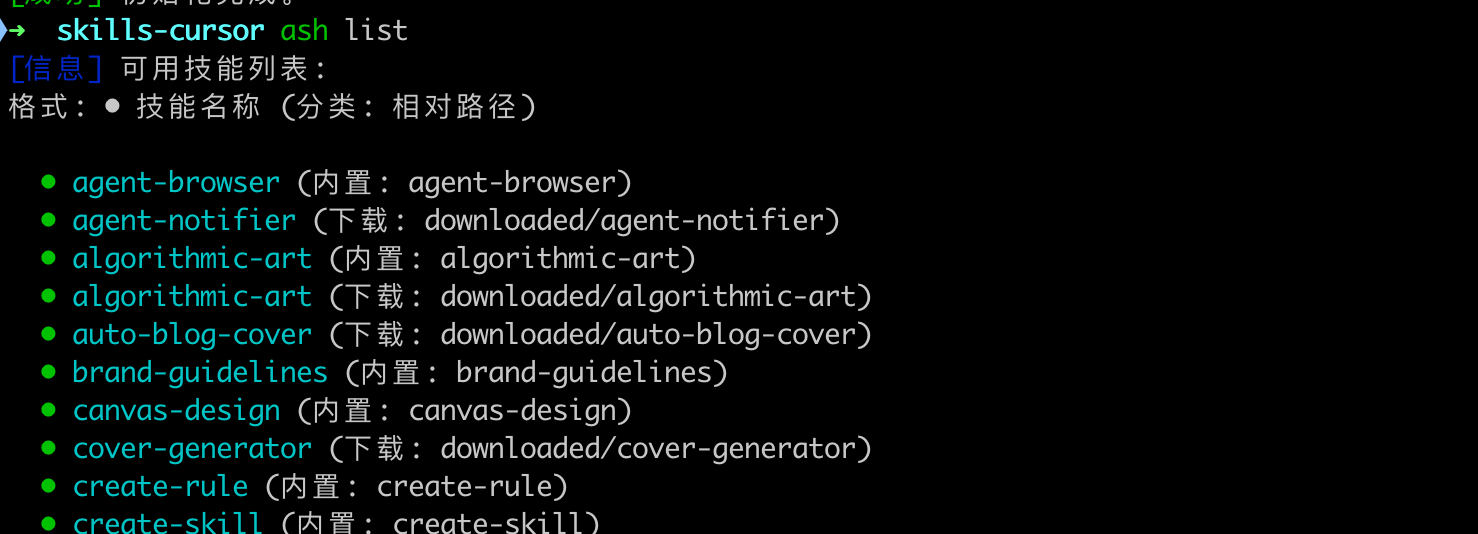
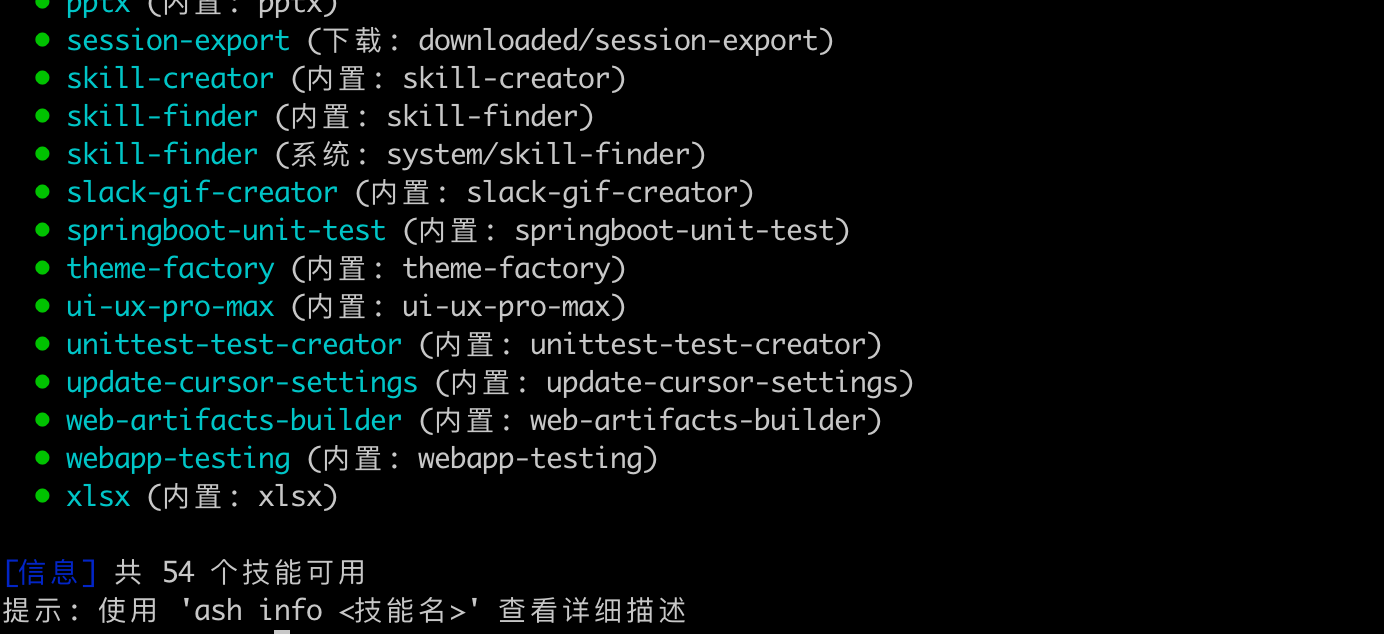
ash list # 查看可用技能
ash search web # 搜索技能
ash info pdf # 查看技能详情
ash add java # 安装技能
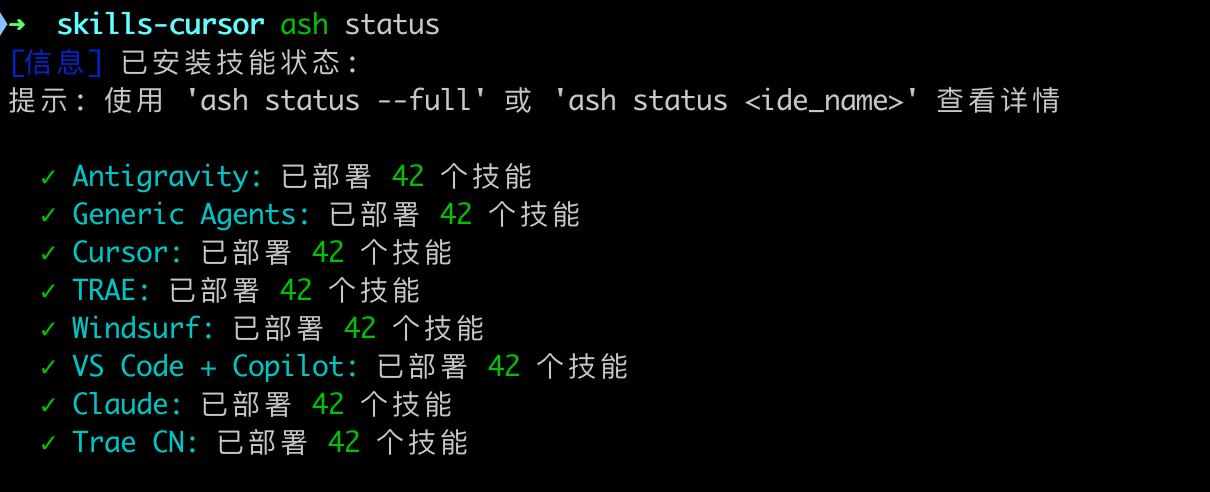
ash status # 查看部署状态
```
### 🛡️ 双模式支持
| 模式 | 适用场景 | 命令 |
|:---|:---|:---|
| **全局模式** | 个人常用工具箱 | `ash add pdf` |
| **项目模式** | 团队协作规范 | `ash add java -p` |
> 💡 项目模式下,技能跟随代码仓库,同事 `git clone` 后即刻生效!
---
## 🚀 极速上手
### 30 秒体验(免安装)
无需安装任何依赖,直接在终端运行:
```bash
# 查看有哪些技能
npx askill list
# 安装一个技能(会自动同步到所有 IDE)
npx askill add pdf
```
### 正式安装(推荐)
```bash
# 1. 全局安装
npm install -g askill
# 2. 初始化环境
ash init
# 3. 开始使用
ash list
```
---
## 🤝 支持的平台
| AI IDE | 技能目录 | 状态 |
|:---|:---|:---|
| **Antigravity** | `~/.agent/skills/` | ✅ |
| **Cursor** | `~/.cursor/skills/` | ✅ |
| **Claude** | `~/.claude/skills/` | ✅ |
| **Windsurf** | `~/.windsurf/skills/` | ✅ |
| **TRAE** | `~/.trae/skills/` | ✅ |
| **Copilot** | `~/.copilot/skills/` | ✅ |
---
## 📦 内置技能库
ASH 内置 **17+ 高质量技能**,涵盖:
- 📄 **文档处理**:PDF 阅读、DOCX 编辑
- 🎨 **前端设计**:Anthropic 官方 Frontend Design
- 🤖 **AI 生态**:HuggingFace 全家桶
- ⚡ **效率工具**:Git 规范、代码审查、翻译助手
- 🖌️ **创意设计**:Canvas 设计、品牌指南
---
## 💡 与其他工具的对比
| 特性 | 🛠️ 其他工具 | 🚀 ASH |
|:---|:---|:---|
| **设计哲学** | 为单一 Agent 生成配置 | 直接投递到所有 IDE |
| **兼容性** | 需要 IDE 支持特定标准 | 只要 IDE 读取配置文件即可 |
| **分发效率** | 一个技能装一次 | **一次安装,6+ IDE 同步** |
| **发现机制** | 手动指定路径 | 智能 Monorepo 扫描 |
---
## 🌐 生态集成
ASH 支持从 Vercel 生态直接安装技能,有两种方式:
### 方式一:通过 skills.sh(推荐)
**操作步骤:**
1️⃣ 访问 **[skills.sh](https://skills.sh/)** 浏览技能市场
2️⃣ 找到需要的技能后,复制右侧 **REPOSITORY** 中的路径
3️⃣ 使用 `ash install` 一键安装:
```bash
ash install vercel-labs/skills
```
ASH 会自动检测仓库结构,扫描 Monorepo 中的技能并完成安装。
**搜索示例:**
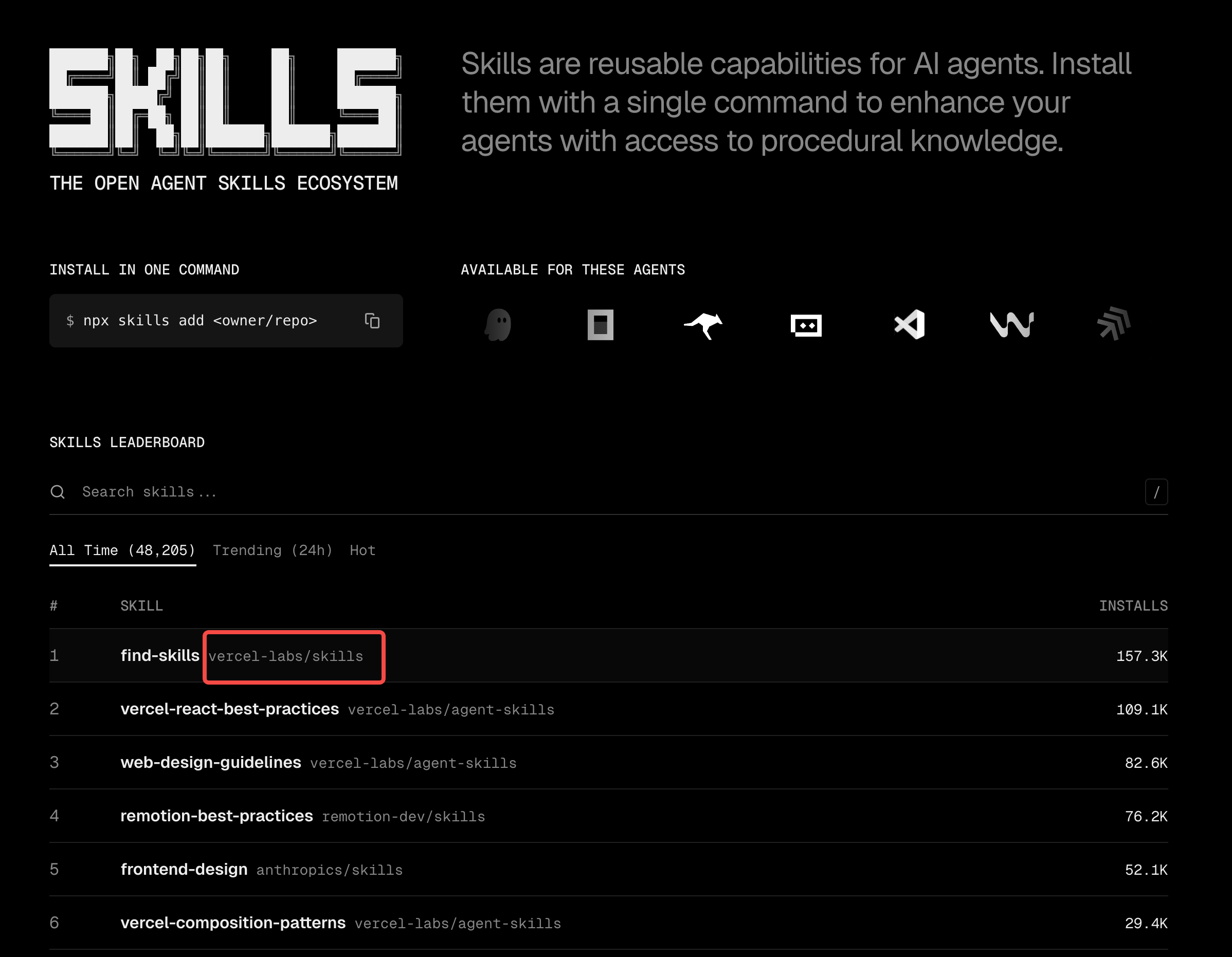
**安装效果:**

### 方式二:使用 npx skills 工具
```bash
# 使用 Vercel 工具下载
npx skills add anthropics/skills --skill frontend-design
# ASH 一键接管并分发
ash sync
```
> 💡 **资源推荐**:想要寻找更多优质的中文 Skill?推荐访问 **[Skill Hub 中国](https://www.skill-cn.com)**
---
## 📣 适合谁?
- 🧑💻 **个人开发者**:告别重复复制粘贴,一处管理所有 AI 助手的能力
- 👥 **团队负责人**:统一团队的 Prompt 规范,新人 clone 即用
- 🔧 **效率狂人**:像管理代码依赖一样管理你的 AI Skills
---
## 📸 功能演示
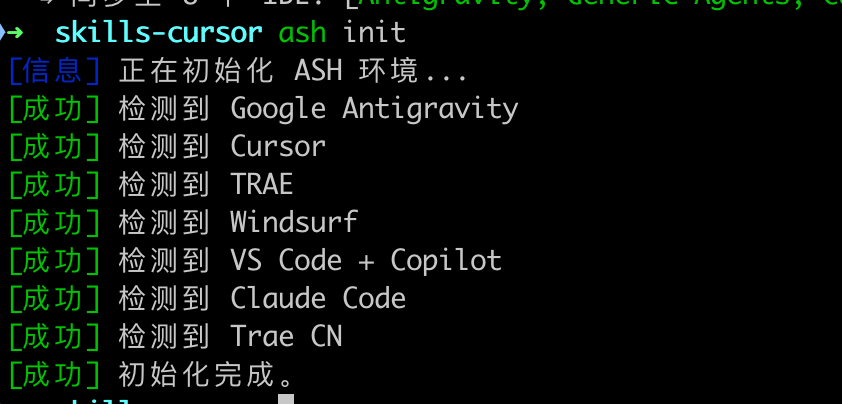
### 1️⃣ 初始化环境
指令会智能检测已安装的 IDE:
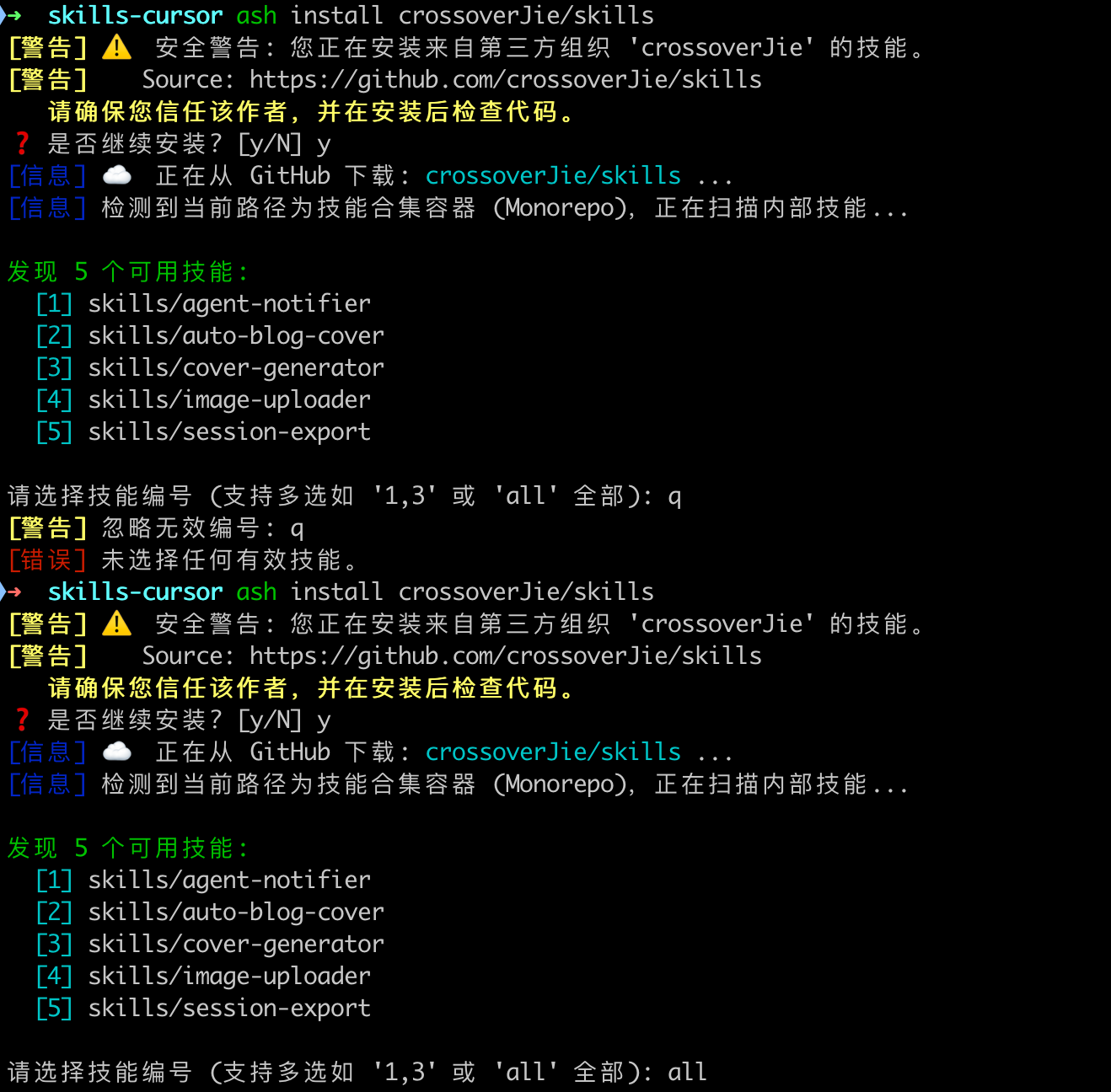
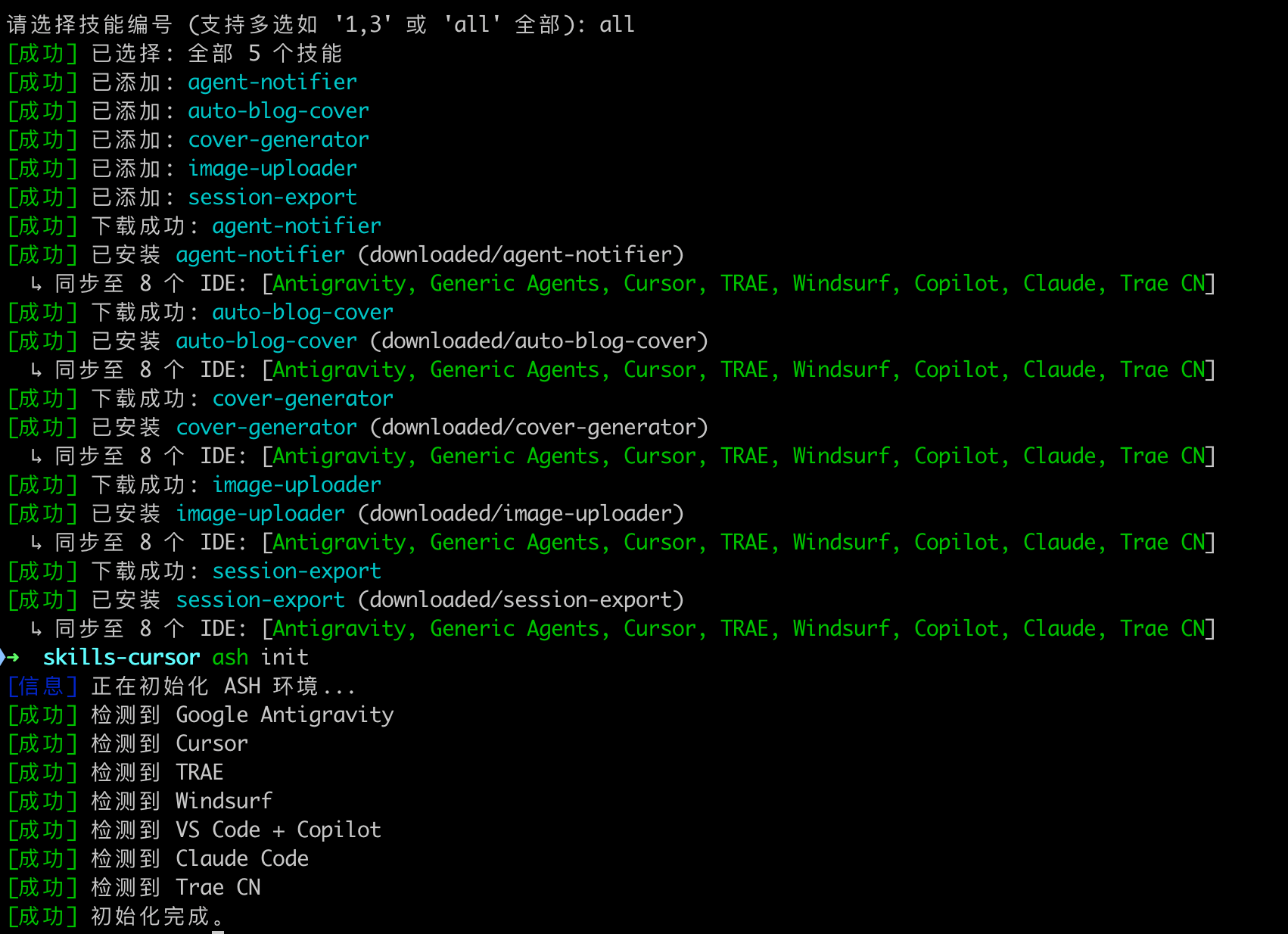
### 2️⃣ 安装 GitHub 技能库
自动检测技能库的可用 skill:
执行安装,自动同步到本地 IDE 全局目录:
### 3️⃣ 查看可用技能
### 4️⃣ 查看各 IDE 已安装技能
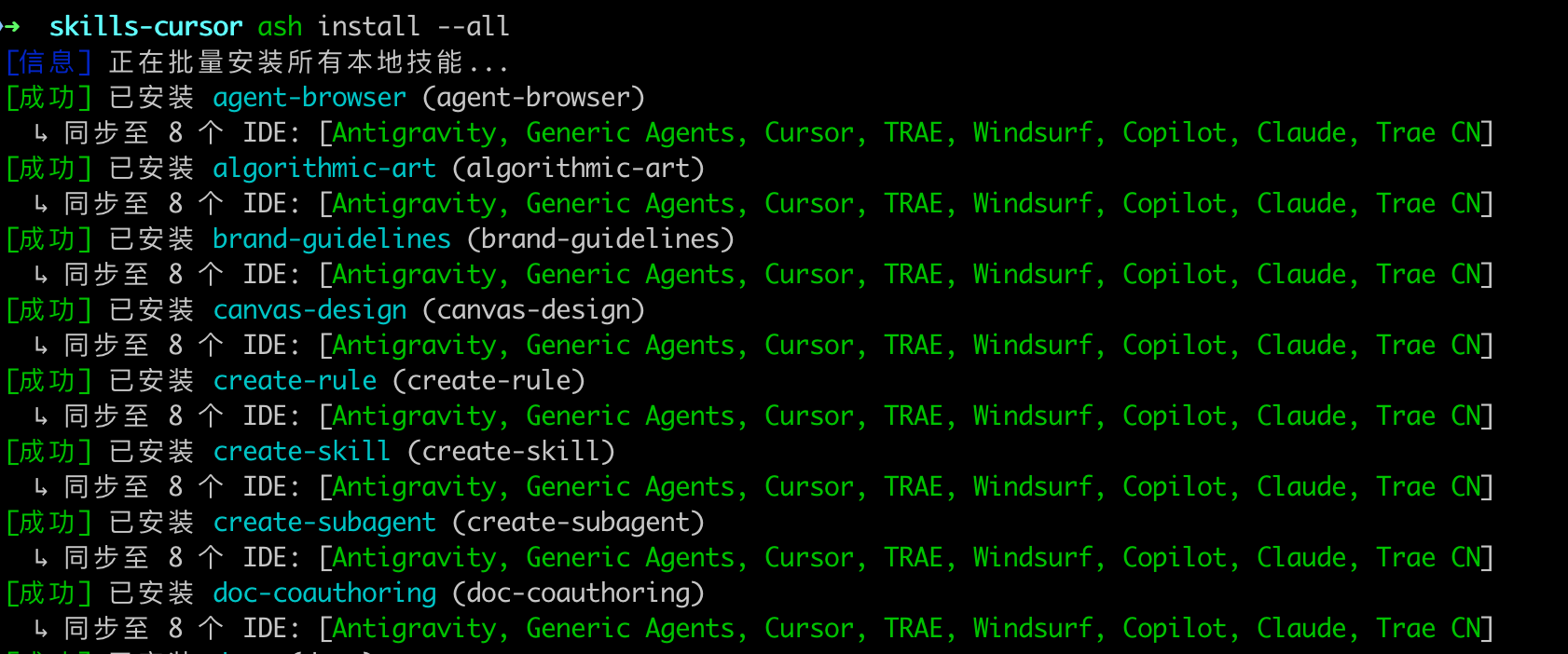
### 5️⃣ 一键安装全部技能
---
## 🔗 相关链接
- 🏠 **GitHub**: [github.com/tiandee/awesome-skills-hub](https://github.com/tiandee/awesome-skills-hub)
- 📦 **NPM**: [npmjs.com/package/askill](https://www.npmjs.com/package/askill)
- 💬 **Issues**: [提交问题或建议](https://github.com/tiandee/awesome-skills-hub/issues)
---
> **"Write Once, Link Everywhere."**
>
> 用 ASH,让你的 AI 技能库真正 **跨平台、易维护、可复用**。
---
MIT © Tiandee
Attribution

Comments
Loading comments…
Newsletter
Get the weekly list of safe new skills, and the ones we pulled.