Xrouter is an open-source inference router that sits between OpenClaw and your LLM providers. It uses a fast, hardware-aware classifier to route each request to the most cost-effective model that can handle the task.
Scanned 9/19/2026
Install to Claude Code
npx -y skills add rondoflow/rondoflow --skill hub-skill --agent claude-codeInstalls into .claude/skills of the current project.
Are you the author of Hub Skill?
Add the live security badge to your README — it updates automatically with every re-scan.
[](https://www.skillsdirectory.com/skills/rondoflow-hub-skill)More formats (shields.io, HTML) on the badges page.
---
name: hub-skill
description: "Xrouter is an open-source inference router that sits between OpenClaw and your LLM providers. It uses a fast, hardware-aware classifier to route each request to the most cost-effective model that can handle the task."
category: "AI & Agents"
author: community
version: "0.1.4"
icon: bot
---
# Xrouter
Xrouter is an open-source inference router that sits between OpenClaw and your LLM providers. It uses a fast, hardware-aware classifier to route each request to the most cost-effective model that can handle the task.
This project is MIT licensed. See the [MIT License](LICENSE).
**Core Features**
- OpenAI-compatible reverse proxy at `POST /v1/chat/completions`.
- 3-tier classifier (0 = cheap, 1 = medium, 2 = frontier) with early stream cutoff.
- Hardware detection helper to recommend local engine.
- Provider selection wizard to choose local and cloud endpoints.
- Cache layer with Redis or in-memory LRU fallback.
- Full cloud mode when local inference is not viable.
- Token tracking dashboard at `/dashboard`.
**Workflow**
```mermaid
flowchart TD
A["Client / OpenClaw request"] --> B["Router (OpenAI-compatible)"]
B --> C{"Classifier enabled?"}
C -->|No| F["Route to Frontier provider"]
C -->|Yes| D["Classifier (0 / 1 / 2)"]
D --> E{"Decision"}
E -->|0| G["Route to Cheap provider"]
E -->|1| M["Route to Medium provider"]
E -->|2| F
G --> H["Provider adapter (auto or explicit)"]
M --> H
F --> H
H --> I["Upstream API call"]
I --> J["Stream/Response back to client"]
```
**Repository Layout**
- `src/server.js`: router and streaming proxy.
- `src/classifier.js`: classifier call and retry logic.
- `src/config.js`: configuration and env parsing.
- `src/cache.js`: Redis + LRU cache.
- `src/token_tracker.js`: token tracking.
- `scripts/check_hw.js`: hardware detection.
- `scripts/configure_providers.js`: interactive provider setup.
**Requirements**
- Node.js 20+.
- Local classifier engine (optional).
- A frontier provider endpoint (required).
**Quickstart**
1. Install dependencies.
2. (Optional) Start a local model server.
3. Run the configuration wizard.
4. Start the router.
```bash
npm install
npm run configure
npm run dev
```
**How To Use**
1. Start your local model server (optional but recommended).
2. Run the wizard to configure providers and models.
3. Start the router.
4. Send OpenAI-compatible requests to the router.
5. Inspect routing decisions in response headers or the dashboard.
Example local setup (Ollama):
```bash
ollama pull llama3.1
ollama run llama3.1
```
Run the wizard:
```bash
npm run configure
```
Start the router:
```bash
npm run dev
```
Test a request:
```bash
curl -i http://localhost:3000/v1/chat/completions \
-H "Content-Type: application/json" \
-d '{"model":"any","messages":[{"role":"user","content":"Fix this sentence: I has a apple."}]}'
```
Look for these headers:
- `X-Xrouter-decision`: `0`, `1`, or `2`.
- `X-Xrouter-upstream`: `cheap`, `medium`, or `frontier`.
Open the dashboard:
- `http://localhost:3000/dashboard`
Raw usage JSON:
- `http://localhost:3000/usage`
**Provider Selection (Terminal Wizard)**
Run:
```bash
npm run configure
```
The wizard:
- Scans hardware and recommends a local engine.
- Suggests a local classifier model.
- Lets you choose provider base URLs, API keys, and model overrides for cheap/medium/frontier routes.
- Writes `upstreams.json` and optionally updates `.env`.
**Quick Start Mode**
- If your machine can run a local model, you can choose Quick Start.
- Quick Start auto-configures the local classifier.
- Cheap route always uses the same local model as the classifier to avoid Ollama model swapping.
- You only need to choose medium and frontier providers/models.
- On Apple Silicon (Ollama), the wizard lists installed Ollama models and can auto-download a recommended model.
**Routing Behavior**
- The classifier is called for each uncached request.
- The first `0`, `1`, or `2` token returned decides the route.
- If classification fails, the router defaults to the frontier route.
- When the classifier is enabled, cheap, medium, and frontier routes must be configured.
**Compatibility**
- The router accepts OpenAI-style requests and translates when needed.
- Provider type can be explicit (`xrouter`, `openai_compatible`, `openai`, `anthropic`, `gemini`, `cohere`, `azure_openai`, `mistral`, `groq`, `together`, `perplexity`) or `auto`.
- `auto` infers the provider adapter from the base URL or API key.
- Providers that expose OpenAI-compatible endpoints use the `openai_compatible` adapter.
- Anthropic/Gemini/Cohere streaming is translated into OpenAI-style SSE chunks.
- Non-OpenAI adapters currently support text-only messages and basic sampling params (temperature/top_p/stop).
**Token Tracking Dashboard**
- `GET /usage`: returns cumulative token usage for `cheap`, `medium`, and `frontier`.
- `GET /dashboard`: UI that displays token split and totals.
- Local usage is counted inside `cheap` when cheap uses the local model.
**Environment Summary**
- `HOST`: bind host, default `0.0.0.0`.
- `PORT`: bind port, default `3000`.
- `ROUTER_API_KEY`: require `Authorization: Bearer <key>`.
- `LOG_LEVEL`: log level (debug/info/warn/error).
- `LOG_TO_FILE`: set `true` to write logs to files.
- `LOG_DIR`: directory for log files (default `./logs`).
- `CLASSIFIER_ENABLED`: set `false` to disable local classification.
- `CLASSIFIER_BASE_URL`: OpenAI-compatible classifier endpoint.
- `CLASSIFIER_MODEL`: classifier model name.
- `CLASSIFIER_SYSTEM_PROMPT`: classifier prompt (single line).
- `CLASSIFIER_TIMEOUT_MS`: classifier timeout.
- `CLASSIFIER_FORCE_STREAM`: force streaming classifier request.
- `CLASSIFIER_WARMUP`: warm the classifier on server start.
- `CLASSIFIER_WARMUP_DELAY_MS`: delay before warmup request (ms).
- `CLASSIFIER_KEEP_ALIVE_MS`: keep-alive interval for classifier warmup (ms).
- `CLASSIFIER_LOADING_RETRY_MS`: delay between retries when the model is loading.
- `CLASSIFIER_LOADING_MAX_RETRIES`: max retries when the model is loading.
- `CHEAP_BASE_URL`: optional, defaults to classifier base URL.
- `CHEAP_API_KEY`: cheap provider API key.
- `CHEAP_MODEL`: optional model override for cheap route.
- `CHEAP_PROVIDER`: provider type for cheap route (`auto` if empty).
- `CHEAP_HEADERS`: optional JSON headers for cheap provider (stringified object).
- `CHEAP_DEPLOYMENT`: Azure deployment override for cheap route.
- `CHEAP_API_VERSION`: Azure API version override for cheap route.
- `MEDIUM_BASE_URL`: required when classifier is enabled.
- `MEDIUM_API_KEY`: medium provider API key.
- `MEDIUM_MODEL`: optional model override for medium route.
- `MEDIUM_PROVIDER`: provider type for medium route (`auto` if empty).
- `MEDIUM_HEADERS`: optional JSON headers for medium provider (stringified object).
- `MEDIUM_DEPLOYMENT`: Azure deployment override for medium route.
- `MEDIUM_API_VERSION`: Azure API version override for medium route.
- `FRONTIER_BASE_URL`: OpenAI-compatible frontier endpoint.
- `FRONTIER_API_KEY`: frontier API key.
- `FRONTIER_MODEL`: optional model override for frontier route.
- `FRONTIER_PROVIDER`: provider type for frontier route (`auto` if empty).
- `FRONTIER_HEADERS`: optional JSON headers for frontier provider (stringified object).
- `FRONTIER_DEPLOYMENT`: Azure deployment override for frontier route.
- `FRONTIER_API_VERSION`: Azure API version override for frontier route.
- `REDIS_URL`: if set, enables Redis cache.
**Local Model Installation & Run Guides**
Ollama (best for Mac, easiest cross-platform)
- Install: [Ollama Quickstart](https://ollama.readthedocs.io/en/quickstart/)
- Pull a model: `ollama pull llama3.1`
- Run: `ollama run llama3.1`
- Base URL: `http://localhost:11434`
- Router config:
`CLASSIFIER_BASE_URL=http://localhost:11434`
`CLASSIFIER_MODEL=llama3.1`
vLLM (NVIDIA GPU)
- OpenAI server: [vLLM OpenAI Server](https://docs.vllm.ai/en/stable/serving/openai_compatible_server/)
- Example: `vllm serve NousResearch/Meta-Llama-3-8B-Instruct --dtype auto --api-key token-abc123`
- Base URL: `http://localhost:8000`
- Router config:
`CLASSIFIER_BASE_URL=http://localhost:8000`
`CLASSIFIER_MODEL=NousResearch/Meta-Llama-3-8B-Instruct`
TensorRT-LLM (NVIDIA, max speed)
- Repo: [TensorRT-LLM](https://github.com/NVIDIA/TensorRT-LLM)
- Server: [trtllm-serve](https://nvidia.github.io/TensorRT-LLM/1.0.0rc2/commands/trtllm-serve.html)
- Base URL: `http://<host>:<port>`
- Router config:
`CLASSIFIER_BASE_URL=http://<host>:<port>`
`CLASSIFIER_MODEL=<your model>`
llama.cpp (CPU/AMD fallback)
- Repo: [llama.cpp](https://github.com/ggml-org/llama.cpp)
- Example: `llama-server -m model.gguf --port 8080`
- Base URL: `http://localhost:8080`
- Router config:
`CLASSIFIER_BASE_URL=http://localhost:8080`
`CLASSIFIER_MODEL=<gguf model name>`
**Docker**
Build and run the router with Redis:
```bash
docker compose -f deploy/docker-compose.yml up --build
```
**Hardware Detection**
Run:
```bash
npm run check-hw
```
This prints the recommended engine:
- `tensorrt-llm` for large NVIDIA GPUs.
- `vllm` for standard NVIDIA GPUs.
- `mlx` for Apple Silicon.
- `llama.cpp` for CPU/AMD fallback.
**Model List Fetching**
- The wizard queries provider model list endpoints when possible.
- OpenAI-compatible: `/v1/models`
- Anthropic: `/v1/models`
- Gemini: `/v1beta/models`
- Cohere: `/v1/models`
- If listing fails, the wizard falls back to `scripts/cloud_model_catalog.json`.
**Star History**
[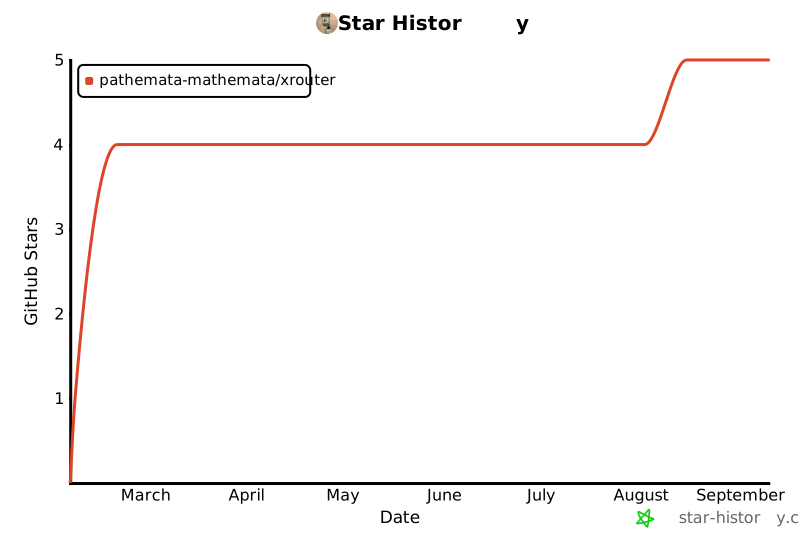](https://star-history.com/#pathemata-mathemata/xrouter&Date)
Is this your skill, or is something wrong with this listing? Request removal or report an issue. Author removals are honored within 72 hours.
No comments yet. Be the first to comment!
 Skills Directory