PI_RESEARCH_MODEL=provider/model-id ``` If you use `pi`, the API key comes from your pi configuration (`~/.pi/agent/auth.json`) automatically; otherwise also set `PI_RESEARCH_API_KEY` (same file or env var). See [Configuration](CONFIGURATION.md). On Windows, run `pi-research` from `cmd` or use `pi-research.cmd`: PowerShell's default execution policy (`Restricted`) blocks npm's `.ps1` shims ("running scripts is disabled"); or run `Set-ExecutionPolicy -Scope CurrentUser RemoteSigned` once. ](https://www.skillsdirectory.com/skills/lincoln504-docs)More formats (shields.io, HTML) on the badges page.
## Agent Skill
pi-research ships as a portable [Agent Skill](https://agentskills.io/specification)
so any skills-compatible coding agent using the same `SKILL.md` directory model —
Claude, OpenAI Codex CLI and others — can run web research through the pi-research
software.
### Install
Already running the `pi` extension (`pi install npm:@lincoln504/pi-research`)? You
already have the engine — install the skill into your other agents with
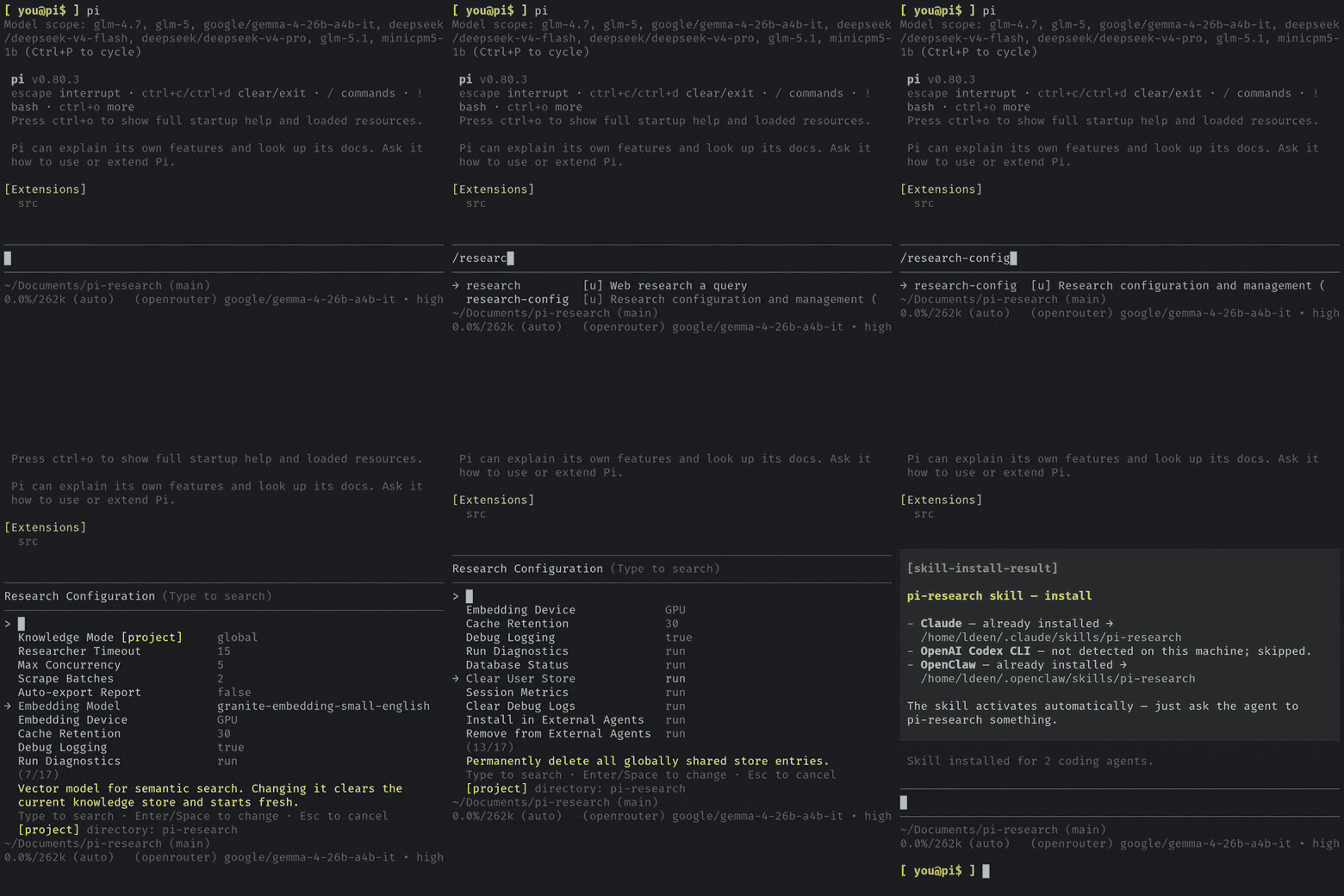
`/research-config` → Install in External Agents (see [Installation flow](#installation-flow))
and skip the install commands below. The model step still applies to you: the
skill runs on its own configured `PI_RESEARCH_MODEL`, not your pi session's model.
For standalone use without pi, install the engine globally, then link the skill into
every coding agent detected on this machine:
```bash
npm install -g @lincoln504/pi-research # the engine (puts `pi-research` on PATH)
pi-research skill install # link the skill into every detected agent
```
On npm ≥11.19 (and npm 12) dependency install scripts are skipped by default — and
none are needed: better-sqlite3 13 ships prebuilt bindings in its own tarball, and the
stealth browser self-provisions on its first use (the first scrape takes a few
minutes). No approval is required (see the [README](../README.md#install)).
`skill install` targets only agents already set up under `$HOME`, never overwrites a
different skill in the slot, and records what it created so `pi-research skill uninstall`
removes exactly that. Run `pi-research skill status` to see where it is installed.
Then configure the model research runs on — the skill and standalone CLI use only
this explicitly configured model (they never follow the model selected inside the
pi extension) and refuse to start without one:
```sh
# ~/.pi/research/config.env (or export as an env var)
PI_RESEARCH_MODEL=provider/model-id
```
If you use `pi`, the API key comes from your pi configuration (`~/.pi/agent/auth.json`) automatically; otherwise
also set `PI_RESEARCH_API_KEY` (same file or env var). See [Configuration](CONFIGURATION.md).
On Windows, run `pi-research` from `cmd` or use `pi-research.cmd`: PowerShell's default
execution policy (`Restricted`) blocks npm's `.ps1` shims ("running scripts is
disabled"); or run `Set-ExecutionPolicy -Scope CurrentUser RemoteSigned` once.
### How it works
```
agent
│ shells out (Bash / exec)
▼
run.mjs — zero-dep launcher (agent-skill/pi-research/scripts/)
│ locates the installed engine, or fails fast with guidance
▼
pi-research engine — the CLI (dist/cli.mjs)
│ init → run → shutdown
▼
cited Markdown report → stdout → back to the agent
```
The agent matches the `description` in `SKILL.md` and shells out to the launcher.
`run.mjs` carries no dependencies; it locates the installed engine
(`PI_RESEARCH_BIN` pointing at the engine's `dist/cli.mjs`, then
`PI_RESEARCH_PATH` pointing at its package dir, then PATH / `node_modules` /
`~/.pi/bin`) and exits with an actionable
message — including config-file locations — if the package, a model, or an API key
is missing. It exposes four subcommands: `research "<query>"` (live research),
`knowledge "<query>"` (search past findings), `knowledge-config [set <mode>]`
(show/set the per-directory knowledge-store mode), and `status` (inspect detection/config).
### Installation flow
The skill source lives at `agent-skill/pi-research/` inside the package. Installing
means linking that directory into each agent's skills folder.
> The directory is deliberately **not** named `skills/`: `pi` treats a package-root
> `skills/` directory as one of its own resource roots and will load what it finds
> there, which would shadow the extension's native research tool with a slower
> subprocess copy of itself.
One-click (recommended). From the `pi` extension, run `/research-config` →
Install in External Agents. The installer:
1. Detects which target agents are present under `$HOME` — currently Claude
(`~/.claude/skills`), OpenAI Codex CLI (`~/.codex/skills` — this path is not
confirmed by Codex's official docs; Codex skills support is still emerging)
and OpenClaw (`~/.openclaw/skills`).
2. Symlinks `agent-skill/pi-research/` into each present agent, never overwriting
an unrelated skill already in that slot.
3. Records what it created in a manifest, so Remove from External Agents
removes only its own links. Stale links are also garbage-collected on startup.
> **Uninstalling removes nothing on its own.** The package ships a `preuninstall`
> script, but **npm 7 and newer do not run `preuninstall`** — verified against
> npm 11: `postinstall` fires, `preuninstall` does not. So `npm uninstall
> @lincoln504/pi-research` leaves the skill links, the state directory
> (`~/.pi/research/state`) and the cache directory (`~/.cache/pi-research`,
> including downloaded embedding models) in place. Run `pi-research skill uninstall`
> **before** removing the package to take the links with you.
Standalone (no pi extension). `pi-research skill install` and `pi-research skill uninstall`
do exactly the same from the CLI — same agent detection, same manifest, same
never-clobber-a-foreign-skill guarantee — for people who installed the engine with
`npm install -g` and never open the interactive extension.
An agent with its own skill-registration CLI can be pointed at the shipped folder
instead of symlinking it. Install the engine, then register
`$(npm root -g)/@lincoln504/pi-research/agent-skill/pi-research` with that agent —
it holds `SKILL.md` at its root, which is the layout such tools expect. Agents that
copy rather than link pick up engine upgrades on the next `skill install`, not
automatically.
Manual. Symlink the directory into any agent's skills folder yourself:
| Agent | Personal | Project |
|-------|----------|---------|
| Claude | `~/.claude/skills/pi-research/` | `<project>/.claude/skills/pi-research/` |
| OpenAI Codex CLI | `~/.codex/skills/pi-research/` | `<project>/.codex/skills/pi-research/` |
| OpenClaw | `~/.openclaw/skills/pi-research/` | `<workspace>/skills/pi-research/` |
### Prerequisites
- Node.js >= 22.19.0
- `pi-research` installed where the launcher can find it, plus a configured model
(`PI_RESEARCH_MODEL`) + API key. See [Configuration](CONFIGURATION.md).
```bash
npm install -g @lincoln504/pi-research
node "<skill_dir>/scripts/run.mjs" status # verify the engine is detected
```
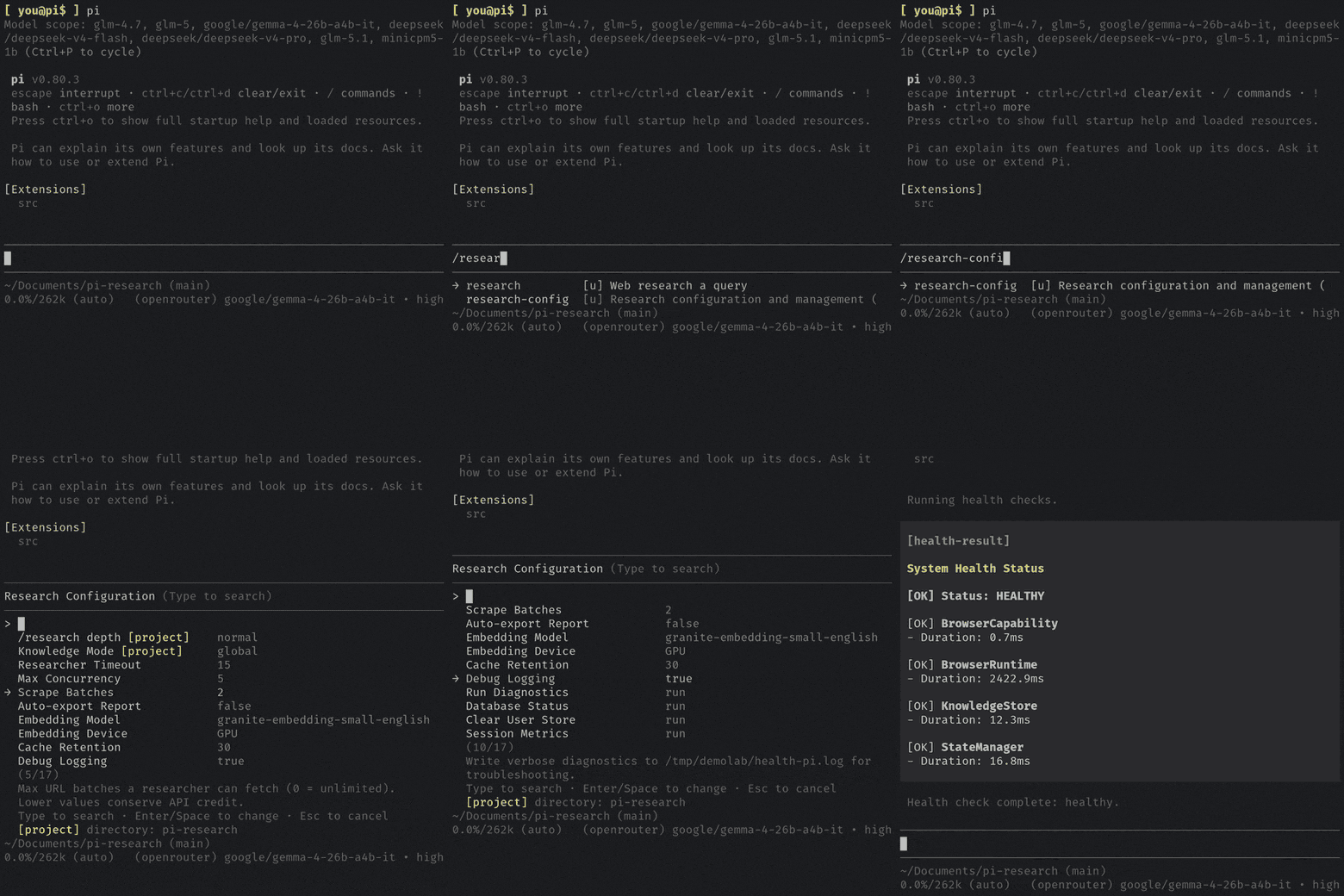
Once installed, ask the agent to research something — its skill system activates
pi-research automatically. The in-package readme (`agent-skill/pi-research/README.md`)
and `agent-skill/pi-research/references/configuration.md` carry the same detail for
anyone browsing the skill directly.
Is this your skill, or is something wrong with this listing? Request removal or report an issue. Author removals are honored within 72 hours.
No comments yet. Be the first to comment!
 Skills Directory